Realms is Minecraft’s subscription service for private, hosted multiplayer worlds. It lets an invited group build, explore, and continue a shared adventure without having one friend personally run the game server.
For players in different countries, the first decision is the Minecraft edition, followed by simultaneous player capacity, local subscription conditions, and group expectations. Country alone does not determine whether two players have compatible game editions.
This international guide explains Bedrock Realms, Realms Plus, and Java Realms, with practical considerations for groups across Europe, Africa, the Americas, Asia, and Oceania. Published prices are reference figures; actual regional availability, currencies, and platform charges need to be checked through the relevant purchase screen.
Table of Contents
Table of Contents
What Are Realms in Minecraft?
A Realm is a private Minecraft server provided through a subscription. The owner manages access, while invited players share the same hosted world.
Minecraft’s official Realms page describes them as:
“private, cloud-hosted servers”
The official introduction to Minecraft Realms explains that the service keeps the shared world available to invited players even when the owner is not playing. This supports groups whose schedules do not overlap every day.
A Realm is also distinct from the base game purchase. Choosing a subscription does not remove the need for the appropriate Minecraft edition or other applicable platform requirements.
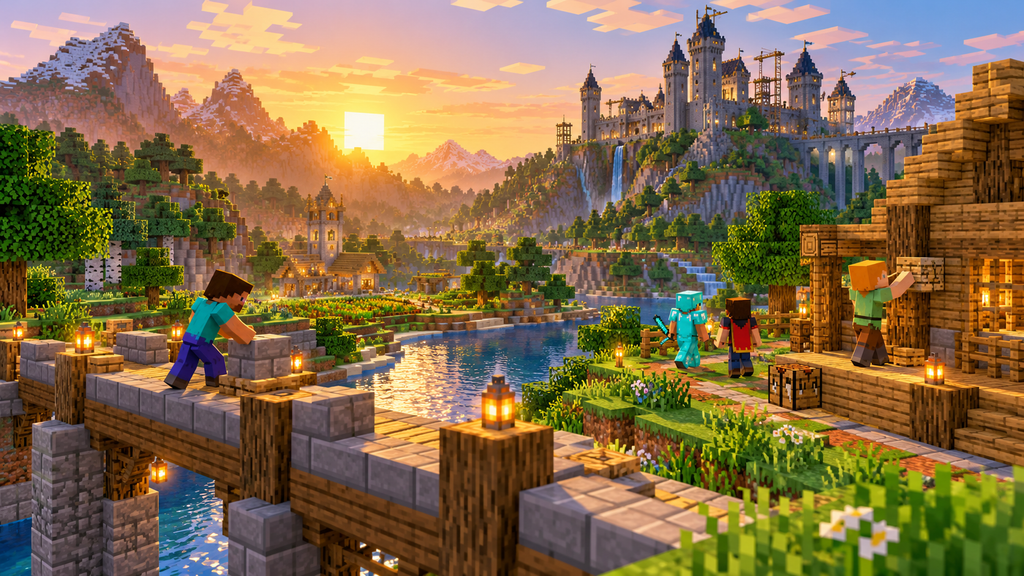
What the Owner Actually Organizes
Hosting is only one part of maintaining a shared world. The owner should also establish membership, decide which world is active, and explain how the group handles changes.
Agree on simple rules before the first session. Useful topics include shared resources, building boundaries, difficulty changes, and whether major adventures should wait until everyone can attend.
A small amount of coordination prevents avoidable disagreements. A private server cannot decide what the group considers fair.
Bedrock, Realms Plus, and Java Compared
The official plan comparison lists three main subscription options. Their game editions and concurrent player allowances differ.
| Plan | Required edition | Simultaneous capacity | Published monthly reference price |
|---|---|---|---|
| Realms for Bedrock | Bedrock Edition | Owner plus 2 guests | US$3.99 |
| Realms Plus | Bedrock Edition | Owner plus 10 guests | US$7.99 |
| Realms for Java | Java Edition | Owner plus 10 guests | US$7.99 |
These are the published USD figures, rather than a verified price list for every country. Console multiplayer can require a separate platform-specific online subscription.
The Edition Matters More Than the Device Label
Java players cannot join a Bedrock Realm through the standard Realms service, and Bedrock players cannot join a Java Realm. Sharing a Microsoft account system does not make the editions interchangeable.
Minecraft’s edition guide describes Java on Windows, macOS, and Linux. Bedrock covers supported Windows, mobile, and console devices, making it the relevant edition for many mixed-device groups.
A Windows computer can therefore be an ambiguous description. Confirm which edition the person intends to launch before selecting a plan.
Invitations Are Different From Active Player Slots
The number of invited members is not the same as the number allowed to play simultaneously. Choose capacity based on the busiest session you reasonably expect.
For example, seven invited friends may rarely overlap, but a planned group event could bring them together. A plan suitable for quiet weekday sessions may be too small for that event.
The owner is counted separately in the published “you plus” description. Read that wording carefully when calculating whether the whole group can join.
Pricing for an International Audience
For readers in Morocco, Canada, Brazil, Germany, India, Australia, or elsewhere, a dollar figure on a website is not proof of the amount charged locally. Use the store associated with your actual device and account to verify the current offer.
Language is not a reliable currency indicator either. The German-language Realms page displayed USD reference prices during this research.
Compare the Complete Cost
Record these details before confirming an order:
- Billing currency: the currency actually shown at checkout.
- Subscription period: recurring monthly billing or another offered term.
- Final total: including any taxes or charges displayed.
- Platform requirements: separate online-play memberships where applicable.
- Renewal date: when another payment is scheduled.
- Trial conditions: eligibility and the date paid billing begins.
Use the same checklist in every country. It avoids confusing a translated marketing page with a local invoice.
A Worked Budget Example
Using the published monthly reference figures, twelve payments of US$3.99 total US$47.88, while twelve payments of US$7.99 total US$95.88. These calculations exclude additional charges and assume the monthly rate remains unchanged.
For a local quote, replace the dollar amount with the actual checkout price. The general calculation is:
Expected subscription cost = recurring price × number of paid periods.
Keep the Minecraft game purchase and any console network membership separate. A group’s total cost cannot be established from the Realm fee alone.
How to Create a Realm
Start by identifying the edition everyone will use and which person will own the subscription. Confirm that the intended owner can access the offer through the appropriate account and platform.
Minecraft’s Bedrock purchase tutorial explains that a subscription provides access to one Realm. It also describes creating a fresh world or using an existing world.
Preparing Your Realms Setup
Before purchasing, prepare:
- The appropriate Minecraft edition.
- The Microsoft account used for the subscription.
- Any required console online-play membership.
- A list of friends and their exact account names.
- The intended world and group settings.
- Confirmation of the plan’s billing and player allowance.
For Bedrock, the official tutorial directs players through the Play and world-creation flow, then the option to create on Realms. Exact labels can change between releases, so follow the current prompts on your device.
Java owners should use the Java Realms purchasing and configuration flow. Bedrock instructions are not a substitute for Java-specific account management.
Test the Basics Before Moving an Established Group
Confirm that the owner can enter the intended world and that an invited friend can join. Then check the chosen difficulty, permissions, and world settings.
Use a simple test build to confirm that participants understand the shared setup. Avoid beginning an ambitious group project while invitations or account access remain unresolved.
If importing an existing world, preserve a local copy first. The group should know which save represents the starting point.
How to Invite Friends and Join
An invitation should identify the intended player accurately. Display names, gamertags, and other account identifiers should not be guessed from a nickname.
For Bedrock, Minecraft publishes a gamertag invitation tutorial. It explains opening the Realm’s member controls, finding the friend, and sending the invitation.
Gamertags and Share Links
A direct invitation suits a known group with verified account names. A share link can be convenient when participants are not already on the owner’s friends list.
The official share-link tutorial warns that anyone with the link can join and recommends avoiding public posting. Treat the link as access to the group, rather than a general announcement.
If the goal is a private family or friend world, distribute access only to intended members. Review who has joined if a link has been forwarded.
Joining Checklist
Before troubleshooting, confirm:
- You received an invitation to the correct Realm.
- You are signed into the intended account.
- Your Minecraft edition matches the Realm.
- Your game version is compatible.
- The Realm subscription is active.
- Applicable multiplayer permissions and platform requirements are satisfied.
Minecraft’s multiplayer requirements guidance identifies matching editions and a Realm invitation as requirements. Paying for another subscription does not resolve a mismatched edition.
Playing Together Across Countries
An international Realm needs a shared routine as well as compatible software. Differences in school hours, work schedules, language, and local time can affect the group more than plan selection.
Use two types of activity: work players can do independently and events that require everyone. Farming, gathering, or individual building can continue between scheduled adventures.
Plan Sessions Without Assuming One Time Zone
Publish the date and time zone for each event. “Friday evening” is insufficient for players separated by continents.
A calendar invitation or clearly stated UTC time can make conversion easier. Recheck local times when seasonal clock changes occur, rather than carrying an old conversion forward indefinitely.
Rotate inconvenient session times when possible. A group should not expect the same participant to sacrifice sleep every week.
Keep an Asynchronous Project Log
Record what changed, where important resources are stored, and which projects need help. Short notes reduce the confusion of joining after another group has played.
For Bedrock, Realms Stories provides an in-game social space for Realm members. It can support coordination when players are not online together.
Use project notes for practical information. A useful update says where the new storage room is and what remains unfinished.
A useful project note records the location, current stage, next task, and coordinating player. Mark resources as personal or communal so people joining later can contribute without guessing. Keep completed work visible to avoid distant groups unknowingly rebuilding the same feature.
Hypothetical International Group
Consider three friends in Morocco, France, and Canada using Android, a console, and Windows respectively. If all use compatible Bedrock versions and satisfy regional and platform requirements, the edition fits a shared Bedrock Realm.
Their first planning task is to establish whether three total simultaneous participants are enough. If more friends are expected for regular group events, they should assess the larger allowance before purchasing.
This is an illustrative scenario, not a tested claim about availability or connection quality in those countries. It demonstrates how device, edition, capacity, and schedule fit together.
World Slots, Backups, and Downloads
The official Realms FAQ describes three stored world slots, with only one world active for play at a time. Three slots therefore do not mean three separately active multiplayer servers.
Give each world an unmistakable name. This is especially helpful when an owner switches between a survival project and a temporary adventure.
Preserve Progress Before Replacing a World
Minecraft’s world-management tutorial recommends downloading a world before replacing it and warns that backups are not retained indefinitely. A local copy provides a separate record of the group’s progress.
Before a major change:
- Identify the exact world and slot.
- Tell participants what will change.
- Download the current world.
- Label the copy with a date and description.
- Verify that the file or local world is available.
- Make the planned change only after preserving the copy.
This checklist is an organizational practice, not a substitute for the edition-specific download instructions. Java and Bedrock use their own management interfaces.
Understand What a Restore Changes
Restoring an earlier save can remove progress made after that save. Discuss the intended recovery point with participants before acting.
Keep separate copies before major world replacements, migrations, or content experiments. A backup is most useful when you can identify what it contains.
Do not describe a backup as successful solely because a menu option was selected. Confirm that the downloaded world is available and usable.
Marketplace Content and Customization
Realms Plus includes access to selected Marketplace content. Minecraft describes curated add-ons, adventure worlds, skins, and other content, with the available selection changing over time.
An included catalog is different from purchasing permanent access to every listed item. Check the relevant content terms if long-term access matters to your group.
Bedrock Add-Ons and Java Customization
Minecraft’s Add-On guidance explains that Bedrock Add-Ons can change game content and that Realm participants download activated Add-Ons when connecting. Test new content on a separate copy before introducing it to an established world.
Do not treat “mods,” “Add-Ons,” and “plugins” as interchangeable labels. Identify the edition and exact content or server technology your group requires.
If a specific Java modpack or plugin system is essential, verify its hosting requirements before selecting a subscription. A broad promise of user-created content does not establish compatibility with every customization.
Connection Problems and Performance
A failed connection does not immediately establish that the subscription was purchased incorrectly. Identify the symptom before changing several account or game settings.
Minecraft’s connection troubleshooting guidance emphasizes checking Realm activity, supported devices, game versions, and necessary online-play subscriptions.
| Symptom | First useful check |
|---|---|
| Realm does not appear | Correct account and accepted invitation |
| Incompatible-version message | Installed edition and game version |
| Multiplayer blocked | Account or family permissions |
| Group cannot all join | Simultaneous capacity |
| One player has problems | That player’s device and connection |
| Everyone has problems | Realm status and current service information |
Record the exact error and when it occurred. A screenshot with private account details removed can make a support request clearer.
Measure the Experience of Each Region
For a group spread across countries, test with the participants who will actually play. One owner’s successful connection does not demonstrate the experience of a friend on another network.
Record joining time, disconnections, delayed interactions, and whether problems affect everyone. Compare observations from more than one session before drawing a conclusion.
This guide does not claim a universal latency figure or guarantee smooth play across every region. A meaningful performance report requires measured conditions.
Privacy and Family Settings
Private membership does not remove the need for account controls and group rules. Parents and guardians should review the permissions appropriate to the child’s account.
Minecraft’s family-control guidance explains that Microsoft accounts and Xbox privacy settings govern relevant online features. These controls matter even when Minecraft is played on another device.
Establish Practical Boundaries
Agree on who may invite others, whether screenshots may be shared, and how members report unwanted behavior. Avoid publishing personal information in world signs, chat, or group posts.
For international groups, keep rules short and understandable across languages. Describe expected behavior directly instead of assuming that every player interprets a phrase the same way.
A private Realm is a controlled-membership environment, rather than a guarantee that every interaction will be suitable. Review the group’s behavior alongside the technical settings.
Trials, Renewal, and Cancellation
Minecraft advertises eligible 30-day Realms trials, with automatic renewal unless canceled. Check the actual offer shown to your account, rather than assuming everyone qualifies.
The Bedrock subscription tutorial explains the transition from an eligible trial to paid billing. Record the renewal date when starting.
Cancel Through the Correct Purchase Account
Minecraft’s cancellation guidance separates instructions by purchase platform. Bedrock subscriptions must be managed through the platform account used to subscribe, while Java Realms cancellation is handled through the Microsoft account.
Keep the confirmation of a cancellation or recurring-billing change. Deleting the game or leaving a Realm is not confirmation that future payments stopped.
Canceling renewal and requesting a refund are separate matters. Check the applicable purchase-channel policy rather than assuming one country’s conditions govern everyone.
Download Before Ending the Subscription
Preserve the shared world before a planned break or change of host. Tell the group where the continuing copy will be stored.
The owner should document the world name, download date, and intended next step. This prevents a future restart from relying on an unidentified older save.
Choosing the Right Multiplayer Option
Choose based on the experience your group needs, rather than the largest player allowance alone. Edition compatibility remains the first requirement.
| Group requirement | Option to investigate |
|---|---|
| Small Bedrock group | Basic Bedrock Realms |
| Larger Bedrock group or included content | Realms Plus |
| Group using Java Edition | Java Realms |
| Specific server software or advanced customization | Hosting that documents those requirements |
| Occasional play with a friend hosting the session | A suitable direct or local multiplayer arrangement |
Minecraft also publishes an official Java server download for people investigating self-managed hosting. Compare the administration work, configuration, backups, and access requirements before choosing that route.
A Decision Checklist
Write down the group’s edition, expected busiest session, required content, actual regional price, and who will manage the world. Then verify that the selected option satisfies each item.
A service that meets four requirements but fails edition compatibility cannot solve the group’s needs. Likewise, paying for a larger Realm does not establish support for a particular customization.
For an international group, add a practical connection test and a scheduling agreement. Those checks address the actual participants, rather than an imagined average player.
Conclusion
Realms can provide a convenient shared Minecraft world for an invited group, including friends with different schedules and locations. The useful choice depends on compatible editions, appropriate simultaneous capacity, clear billing, and responsible world management.
Verify local purchase conditions, preserve important saves, and test with the people who will participate. International play benefits from shared expectations and clear session times as much as from selecting a subscription.
This guide’s comparisons describe official published features. Its group scenarios and checklists are planning tools, not claims of firsthand global performance testing.
Frequently Asked Questions
Do Invited Friends Need Their Own Realms Subscription?
No. Invited members do not need a separate Realms subscription, but need the appropriate game and applicable platform access.
Can Members Play While the Owner Is Offline?
Yes, an active Realm is hosted independently of the owner’s current game session. Membership and other access requirements still apply.
Does Marketplace Pass Alone Include a Personal Realm?
It should not be confused with Realms hosting. The Marketplace Pass page describes the content subscription, while Realms Plus combines its included catalog with a Realm.
Can I Keep Playing a Downloaded World Offline?
Minecraft’s world-management tutorial says a downloaded Realm world appears among local worlds and can be played offline. That local copy is distinct from the hosted world.
Does Changing the Game Language Change the Edition?
No. Confirm Java or Bedrock directly; a translated interface does not bridge the two editions.
Does a Translated Website Establish the Local Price?
No. Verify the currency and final amount through the applicable purchase screen.
Editorial Notes — Outside the Publication Article
Internal-link opportunities: Use existing pages about Minecraft editions, multiplayer invitations, world backups, Microsoft family settings, and choosing game-server hosting. No publisher URLs were supplied, so no internal addresses were invented.
Three 16:9 image briefs:
| Image | Brief | Alt text |
|---|---|---|
| Main illustration | Original voxel-style scene of several adventurers building a shared village; conceptual artwork, not a game screenshot | Players building a shared village in a block-style multiplayer world |
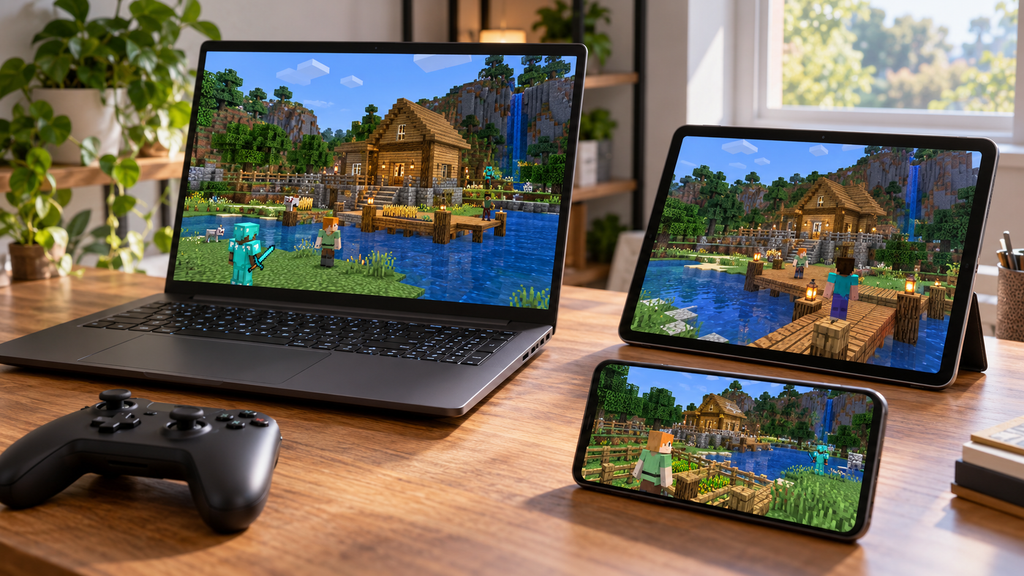
| Devices | Editorial illustration of friends using a computer, console controller, and tablet; no fabricated interface | Different gaming devices used to plan a compatible multiplayer group |
| World management | Conceptual block-style landscape with a notebook and storage-folder motif; no fake product interface | Planning backups and managing a shared Minecraft world |
Do not describe generated illustrations as official screenshots, verified game footage, or evidence of service testing.
Editorial assessment: The article serves Minecraft Realms intent and covers an international audience through local billing checks, cross-device planning, time-zone coordination, family settings, and a clearly hypothetical multinational group. It includes a plan comparison, worked subscription calculation, and original practical worksheets.
Unresolved evidence: No firsthand latency, world-transfer, or trial tests were conducted. A complete country-by-country availability and currency table was not verified. Some Help Center pages exposed only navigation when opened; their indexed official summaries were used only for the limited facts they explicitly supplied.
SEO assessment: The generic keyword “realms” has meanings beyond Minecraft, although the reviewed results predominantly concern Minecraft. This article intentionally follows that observed intent; it is not a guide to an IPTV brand or another product using the same word.
No authenticated search-volume or keyword-difficulty figures were available. Rankings are not guaranteed, and author credentials, original screenshots, clear site relevance, and accurate current information remain material editorial considerations.