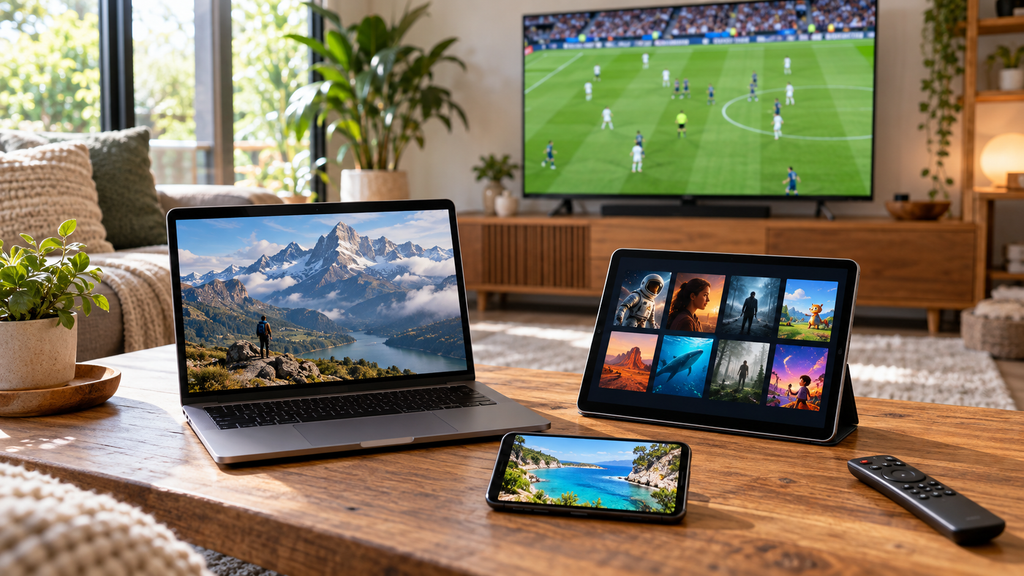
Premium IPTV: Plans, Setup and Streaming Quality Guide
Premium IPTV usually describes a paid television service delivered through internet protocol, with features such as live channels, on-demand programs, or an electronic program guide. The word premiumalone does not establish which channels are included, how reliably they play, or whether the offer is available in your country. A useful subscription must match your viewing habits, supported devices, household needs, and budget.
Choosing a service becomes easier when you separate measurable features from advertising claims. A large channel count matters less than access to the programs you actually watch, while a low annual price becomes less attractive if essential features cost extra. This guide explains how to compare subscriptions, prepare your devices, test streaming quality, and troubleshoot common problems.
IPTV stands for Internet Protocol Television. In its technical definition, the International Telecommunication Union describes multimedia delivery over IP networks managed to support quality, security, interactivity, and reliability. That definition emphasizes the delivery system rather than a particular subscription price or marketing label. Source: ITU.
Consumer advertising often uses IPTV more broadly, including services accessed through an app over an ordinary internet connection. This makes it useful to identify whether an offer is an operator-managed television package, an internet streaming subscription, or merely software for playing a supplied stream. Those products can have different installation requirements and service conditions.
Premium IPTV Subscription vs. IPTV Player
A subscription provides whatever content access the service has agreed to supply. A player is software that displays compatible streams, and paying for the player does not automatically purchase television channels. Some subscriptions include an official app, while other arrangements require separately supported playback software.
Before purchasing, establish exactly what each payment covers. A player activation fee, a television subscription, and a streaming device are separate items unless the seller explicitly bundles them. This distinction prevents paying for software and then discovering that content access still needs to be arranged.
Internet television relies on a delivery chain connecting the content source, distribution infrastructure, your network, and your playback device. In HTTP Live Streaming, playlists identify media segments that the client retrieves and plays in sequence. The protocol also supports alternative versions of content, including different audio options and stream qualities. Source: RFC 8216.
Some streaming systems adjust playback to available bandwidth. Apple’s HLS documentation describes adaptation to network conditions across wired and wireless connections. In practice, a supported adaptive stream can prioritize continued playback when available bandwidth changes, although this does not promise constant maximum resolution. Source: Apple.
Why “Premium” Cannot Guarantee Every Session
Assess the complete experience instead of one successful channel launch. Test how quickly programs start, whether playback remains stable, and whether the app stays responsive during normal viewing. A brief demonstration offers limited evidence about an entire evening or a different household network.
Live-event viewing also deserves a separate test. Check whether the stream is noticeably behind another authorized broadcast, whether picture quality changes during play, and whether audio stays synchronized. Record what you observe rather than assuming that a promotional label establishes performance.
The best feature list reflects the household using the service. Someone following local news may prioritize regional channels, while a family may need profiles, subtitles, and parental controls. A sports viewer may value motion clarity and dependable event coverage more than a large on-demand library.
Feature
What to verify
Why it matters
Live channels
Exact stations and regional versions
Channel totals can hide missing favorites
Picture quality
Quality available for specific programs
A general 4K claim does not describe every stream
Program guide
Accurate schedules and local times
Makes daily viewing easier
Catch-up
Eligible channels and replay period
Availability can vary by program
Recording
Storage, retention, and restrictions
Determines whether saved programs remain usable
Multiple streams
Simultaneous viewing allowance
Defines how many people can watch together
Language options
Audio tracks and subtitle support
Helps multilingual households
Customer support
Contact methods and operating hours
Affects how quickly problems can be addressed
Premium IPTV Channels and On-Demand Content
Create a short list of essential channels before comparing subscriptions. Include the exact regional version, preferred commentary language, and programs that must be available. Treat a broad category such as “sports” as insufficient confirmation of a particular competition or event.
For on-demand content, check the titles you want, the available language tracks, and whether access is included in the quoted plan. For catch-up, establish which channels participate and how long episodes remain available. A useful catalog is one you can navigate and use consistently.
Program Guides, Profiles, and Accessibility
Try the electronic program guide during a normal viewing session. Confirm that program times match your location and that selecting a listing opens the expected channel. Search, favorites, and clear category labels can be more useful than an impressive-looking home screen.
Test subtitles and audio settings on real programs. If children will use the service, review profile separation, PIN controls, and content restrictions before handing over the remote. Ask other household members to navigate the app themselves rather than judging usability only from the main account holder’s experience.
Premium IPTV Pricing and Subscription Costs
There is no single price that represents every premium IPTV subscription. Compare current checkout totals for your location, including taxes, optional packages, extra screens, and any required app fee. A headline discount is meaningful only when you know what the subscription actually includes.
The following figures are hypothetical examples in USD, not verified market prices:
Illustrative offer
First-year calculation
First-year total
Example following-year total
Monthly plan
$19 × 12
$228
$228 if unchanged
Annual plan with a required annual app fee
$180 + $30
$210
$246 if renewal becomes $216 plus $30
Lower-priced plan with an annual add-on
$144 + $60
$204
$204 if unchanged
The cheapest headline subscription is not necessarily the cheapest complete package. Compare the same channels, screen allowance, and features before calculating savings. Check the renewal total separately because an introductory offer may not continue.
Monthly vs. Annual Premium IPTV Plans
Monthly billing can suit viewers still evaluating channel coverage or device compatibility. Annual billing may reduce the effective monthly cost, but it commits more money before future performance is known. Base the decision on a successful evaluation and clear terms rather than the discount alone.
Record the renewal date, cancellation method, and any minimum commitment. Establish whether canceling stops the next payment or also ends access immediately. Keep the order confirmation so the promised package and billing conditions remain easy to reference.
How to Compare Premium IPTV Providers
Begin with requirements rather than a ranking of unfamiliar sellers. Eliminate offers that cannot supply your essential programs, support your device, or explain their viewing restrictions. Compare the remaining candidates using the same questions and test conditions.
Verify Content Access and Service Identity
Look for an identifiable business, understandable terms, a current privacy policy, and a documented support route. Establish the countries where the service is offered and the basis on which it distributes the advertised content. A polished website or successful payment alone does not demonstrate distribution authorization.
WIPO explains that copyright owners can authorize others to use their works through licenses. This makes content authorization a separate consideration from stream quality or price. Review the relevant offer and local conditions without assuming that a subscription payment settles every rights question. Source: WIPO.
Use any available trial or short subscription on the device and network you actually intend to use. Check essential channels at your usual viewing time, including busy evening periods and relevant live events. Repeat important observations so your assessment does not depend on one unusually good or bad session.
A practical evaluation checklist includes:
The essential channels open and show the expected programs.
The app remains usable after extended viewing.
Subtitles and preferred audio tracks work.
The program guide displays appropriate times.
The permitted number of simultaneous streams works.
Support answers a specific question clearly.
Renewal and cancellation details are documented.
For broader reading on televisions and home entertainment, CNET provides consumer coverage that can complement your own evaluation. Use general buying guides to understand the equipment category, then confirm compatibility through the subscription’s official support information.
Read Reviews for Evidence
Prioritize reviews describing the device, region, subscription date, and actual problem or benefit. Generic praise offers little information about whether a service will meet your requirements. Give more weight to repeated, specific observations than to an unsupported star rating.
Start with the device you already own. Confirm its exact model and software version, then check the service’s current supported-device list. “Works on Smart TVs” is too broad to establish support for every television operating system or model year.
Google’s official Google TV instructions describe searching for an available app and selecting Install. An app’s availability should be checked on the actual device rather than inferred from its availability on a phone. Similar-looking devices can have different app catalogs and support requirements. Source: Google TV Help.
For additional hardware reading, consult TechRadar’s streaming-device guide. Confirm the chosen service’s requirements before buying a new device, because hardware purchase and subscription compatibility are separate decisions.
Follow the service’s documented installation method for your exact device. An official app may require an ordinary account sign-in, while a separately supported player may use provider-issued connection details. Do not assume that every subscription accepts the same login method.
Confirm that the account and chosen plan are active.
Update the device’s operating system and supported app.
Install the app through the documented distribution route.
Sign in using the account or connection details supplied by the service.
Check language, time zone, subtitles, and parental controls.
Open an essential live channel and test playback.
Confirm guide accuracy and any permitted additional screens.
Protect Your Premium IPTV Account
Treat passwords, activation codes, and credential-bearing playlist addresses as private. Remove account details from screenshots before sending them to support or posting a question publicly. Save login instructions somewhere accessible so troubleshooting does not depend on searching old messages.
On supported Android devices, keep Google Play Protect enabled. Google states that it checks apps for harmful behavior and can warn about, disable, or remove potentially harmful applications. These protections are useful safeguards, although they do not certify a television service’s content rights or quality. Source: Android Help.
Internet Speed and Streaming Quality
Use the subscription’s own bandwidth guidance whenever available. Required throughput depends on the stream being delivered, so one service’s recommendation should not be presented as a universal IPTV requirement. Test the connection where the playback device sits and during normal household use.
As an example of published streaming guidance, Netflix recommends the following stable connection speeds for its service:
Quality
Resolution
Netflix-recommended speed
HD
720p
3 Mbps or higher
Full HD
1080p
5 Mbps or higher
UHD
4K
15 Mbps or higher
These are Netflix-specific recommendations, not guaranteed thresholds for another service. Higher advertised broadband speed alone does not establish a better connection to every streaming source. Other household activity also needs to be considered when evaluating available capacity. Source: Netflix Help Center.
Plan for Simultaneous Viewing and Data Use
Calculate capacity around concurrent activity. As an illustrative example, two streams each delivering an average 10 Mbps would together carry approximately 20 Mbps of video data before overhead and other household traffic. Use the actual service’s requirements instead of assuming this example describes its streams.
For a constant average stream rate, decimal data consumption can be estimated as:
Gigabytes per hour ≈ Mbps × 0.45.
A stream averaging 8 Mbps therefore transfers approximately 3.6 GB per hour before additional overhead. Actual consumption changes when the bitrate varies, so check measured usage if your internet plan has a data allowance. For general background reading, HowStuffWorks covers internet and communication concepts.
Premium IPTV for International Viewers
Compare the offer available in the country where you will use it. Check billing currency, local channel coverage, support language, and permitted viewing locations before subscribing. A translated sales page does not establish that its prices or channels apply everywhere.
Regional Channels, Languages, and Sports
Confirm the exact regional news station, commentary language, and competition coverage you need. A sports-channel logo does not by itself confirm every event, replay, or language option. Use current schedules and official package information to verify the programs that matter.
For multilingual households, test audio tracks and subtitles separately. A catalog with many languages may still lack the preferred language for a particular title. Check these details before committing to a long subscription.
Travel and Household Restrictions
Read the service’s rules for travel, home networks, and use outside the billing country. Keep a permitted travel option separate from an assumption that the account works everywhere. For events listed in another time zone, convert the actual event date and time rather than relying on an old time difference.
Troubleshooting Premium IPTV Problems
Identify the symptom before changing settings. Test another channel, then compare behavior on the same device using another authorized streaming service. This helps narrow the investigation without proving the cause on its own.
Whether other channels play and support reports an issue
Most channels buffer
Connection conditions, other traffic, service status
Video plays without audio
Audio-track selection and supported playback settings
Guide times are wrong
Device time zone and available guide settings
An additional screen is blocked
Simultaneous-stream allowance and active sessions
App crashes
Updates, restart, available storage, official support guidance
Diagnose Buffering Methodically
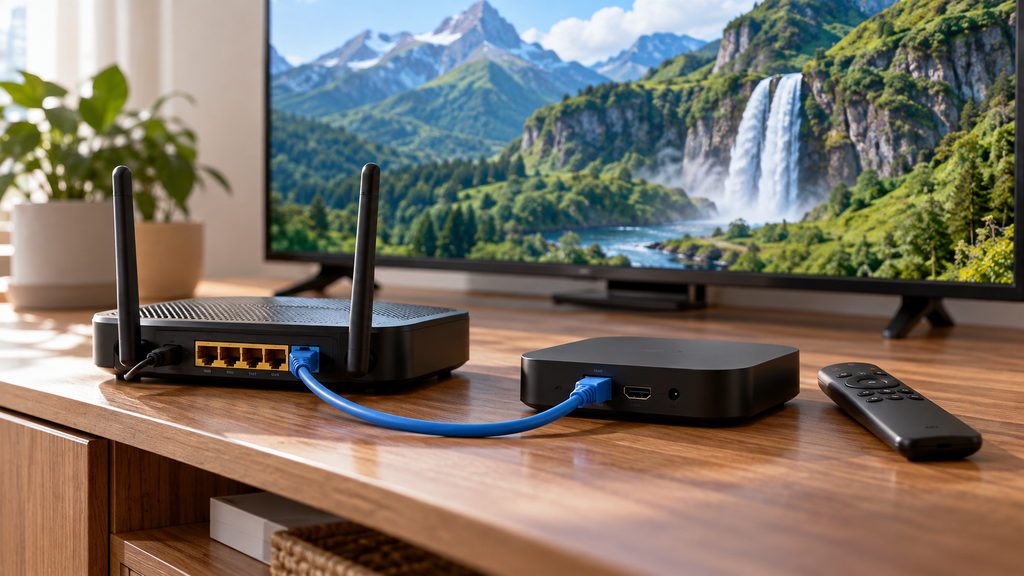
Record the affected program, time, device, network connection, and error message. If practical, compare Wi-Fi with a supported wired connection while keeping other conditions similar. A change in results can help identify the next check, but it is not proof of a single cause.
Avoid changing the app, network settings, and account details simultaneously. Change one relevant factor, repeat the test, and keep the result. If the issue continues, provide support with those observations and request a specific next step.
Illustrative Household Examples
The following examples are hypothetical planning scenarios, not customer testimonials or claims of firsthand service testing. They show how different requirements change the subscription decision.
A Family Watching on Two Screens
A family watches news in one room and children’s programs in another. Its essential requirements are two permitted simultaneous streams, suitable content controls, and an app both adults can navigate. A large catalog adds little value if the second screen cannot be used during the evening.
The family should test both devices together and confirm how profiles and PIN settings behave. Its comparison should include any extra-screen charge rather than the advertised base price alone. The useful outcome is a package that matches the family’s busiest viewing period.
A Sports Viewer With a Data Allowance
A sports viewer follows one competition and has a capped internet plan. The priorities are confirmed event coverage, suitable picture quality, stable playback, and predictable data use. An unrelated movie library is a secondary benefit.
The viewer should evaluate a relevant live event and measure consumption during the session. If more than one quality setting is available, compare clarity and usage before selecting a default. That produces a decision based on actual viewing needs.
A premium subscription earns its value when it consistently delivers the programs and features your household uses.
Conclusion
Premium IPTV should be evaluated through specific features, clear terms, and practical viewing tests. Start with essential content, verify device support and simultaneous streams, then compare the complete cost. Treat playback quality, content authorization, and billing conditions as separate checks.
Choose the subscription that meets your household’s requirements at a cost you understand. Preserve setup instructions and account records, and use measured observations when resolving problems. A clear comparison is more useful than an unsupported promise of unlimited quality or coverage.
Frequently Asked Questions
What Is Premium IPTV?
Premium IPTV generally describes a paid television offer delivered using internet protocol. Its actual channels, features, and device support depend on the specific subscription. The word premium does not establish a standardized package.
Is Premium IPTV Legal?
IPTV technology can be used to distribute authorized content. Whether a particular offer is authorized depends on the relevant rights and circumstances, so the subscription label or payment alone is insufficient evidence. Check the service’s distribution information and applicable local rules.
How Much Does a Premium IPTV Subscription Cost?
There is no universal price. Compare the current checkout total, renewal amount, taxes, extra screens, and any required app fees. The illustrative calculations in this guide are examples rather than market quotes.
Does Premium IPTV Always Include 4K?
Do not assume that every channel or title is available in 4K. Confirm the specific content, subscription tier, and supported device requirements. Evaluate actual playback rather than relying on a broad promotional claim.
Can I Use Premium IPTV on Several Devices?
Check both supported devices and the permitted number of simultaneous streams. Installing an app on several devices does not establish permission to watch on all of them together. Household and travel restrictions should also be reviewed.
Do I Need a Separate IPTV Player?
Some services provide their own app, while other supported arrangements use a separate player. Confirm the documented playback method before paying for additional software. A player purchase does not automatically include a television subscription.
Why Does Premium IPTV Buffer?
Buffering can have several causes, so one symptom does not identify the responsible component. Compare channels, connection conditions, and device behavior while recording the time and relevant errors. Use those observations to guide the next test or support request.
Is an Annual Premium IPTV Plan Better Than Monthly Billing?
An annual plan can have a lower effective monthly price, but it requires a larger initial commitment. Monthly billing can suit viewers still evaluating the service or expecting their needs to change. Compare complete costs, renewal terms, and cancellation conditions before deciding.