Choosing legit iptv services starts with content authorisation, an identifiable seller and purchase terms you understand. At RealMIPTV, our subscription plans let you compare access periods and simultaneous connections. This guide explains our offer and the checks that help you decide whether it meets your household’s requirements.
Our public plan and policy pages describe the commercial service, but they do not establish channel-by-channel distribution rights for Canada. Obtain verifiable information about the relevant content rights before purchasing. A working stream, familiar app or payment option answers a different question from authorisation.
Once that requirement is satisfied, the remaining choices are practical: how many people will watch together, which player fits your device, what you pay upfront, and what happens when access ends. Use those details to choose a subscription you expect to use.
Table of Contents
Table of Contents
What buyers should expect from legit iptv services
IPTV describes television delivered through internet protocol. The delivery method alone does not establish who is entitled to distribute a programme or where that distribution is authorised.
For Canadian buyers, the CRTC’s explanation of online content and distribution rights describes how viewing rights can depend on territory, time and the agreement with the rights holder. A channel being available somewhere does not automatically establish permission to supply it to a household in Canada. CRTC

Keep three questions separate during your purchase. First, is the relevant content distribution authorised? Second, can you identify the seller and understand the transaction? Third, does the subscription fit your equipment and viewing routine?
| Information you can examine | What it helps establish | What still needs separate evidence |
|---|---|---|
| Verifiable rights-holder or authorised-distributor information | The basis for supplying specified content | Whether it covers your territory, service and access period |
| Written price and access details | What you are agreeing to purchase | Content authorisation and future playback performance |
| A receipt and consistent seller identity | A record of the transaction | Rights to every advertised channel |
| A compatible player or successful trial | How the tested setup functions | Permission to distribute the content |
| Published support and refund policies | The stated purchase conditions | Independent proof of how every request will be handled |
This approach keeps useful buying information in perspective. Clear terms make a transaction easier to assess, while rights evidence addresses the content itself. Neither should be replaced by a badge, catalogue total or unsupported claim of approval.
7 essential checks before choosing RealMIPTV
1. Establish the content and territory you need
Start with the exact channels or programmes that matter to your household. A short list of priorities is more useful than a broad request for “everything,” especially when the decision depends on particular sports, news or language options.
Connect that list to your location and intended use. Watching privately at home, watching while travelling and showing content in a public venue are different circumstances. Our Terms of Use restrict account sharing outside the household and prohibit commercial redistribution and public display.
Evaluate any authorisation information against the content, territory and supplier named in your purchase. A general statement about a business or an unrelated service does not answer a specific distribution question.
Where possible, corroborate the information through the rights holder’s own published details or an independently identifiable authorised distributor. Keep the source and scope together. A document about player software, for example, should be evaluated as software information rather than treated as permission to supply the programmes opened in that player.
Keep the evidence with your buying notes so you do not lose the basis for your decision when comparing durations and prices. Completing this check first prevents a convenient setup or attractive monthly equivalent from deciding the purchase on its own.
2. Keep the seller identity consistent throughout the order
Know which service you intend to buy and which domain you are using. This article explains the RealMIPTV subscription offered through realmiptvs.us. Keep that identity attached to the plan, payment instructions and account information you receive.
Read the merchant details presented during payment and retain the resulting confirmation. If a different name appears, obtain an explanation before proceeding. A trading name and a payment descriptor can differ, but the relationship should be clear to you.
The same principle applies to help channels. Use the contact confirmed for your order rather than assuming that a similar brand name or another website’s phone number belongs to the same seller.
Our Privacy Policy describes the account, order and website information we may collect and how it is used. Read it alongside the purchase conditions, particularly when deciding which contact and payment details to provide.
3. Define what the subscription includes
Our published RealMIPTV offer combines live television, on-demand movies and series, an electronic programme guide and TV replay functionality. The current catalogue description lists 15,000+ live channels and 40,000+ on-demand movies and series.
Those totals describe the advertised catalogue. They do not confirm that an individual programme is available in every region, that every channel has replay, or that every stream uses the same picture quality.
Consider the viewing features individually. A programme guide helps you find scheduled television, while an on-demand listing lets you choose a listed title. Replay concerns supported past programming. Check each feature against your priorities instead of assuming that finding a channel automatically includes every viewing mode for its programmes.
Use the viewing list you prepared to evaluate the features you will actually use. Someone who mainly watches live news may care about channel navigation and the programme guide. Someone who watches at irregular hours may focus on finding particular on-demand titles.
Our terms explain that specific content can vary by region and change over time. Plan the purchase around clear priorities and the availability described for your access, while keeping content authorisation as a separate requirement.
4. Choose simultaneous connections before comparing totals
A connection represents an active stream. Our current order form offers one through five connections, so choose the allowance around the household’s busiest viewing period.
Count separate programmes playing at the same time. Owning several televisions does not automatically mean every television needs to stream together. Equally, one main television does not describe a household where tablets and phones also play independently.
Hypothetical example: one viewer stops the living-room television before continuing on a compatible tablet. That routine involves one stream at a time, subject to the account’s device and household conditions.
Hypothetical example: three household members watch independently in the evening. Their comparison should use three simultaneous connections, rather than a single-screen headline price.
More connections address additional concurrent viewing. They do not change the distribution rights attached to content or repair a weak home network. Match the allowance to the intended use, then compare access periods on that same basis.
5. Read RealMIPTV pricing in the correct currency
Our published terms specify US dollars (USD). Canadian buyers should therefore review the payment provider’s converted amount and any provider fees before authorising payment.
RealMIPTV subscriptions are prepaid. A displayed monthly equivalent helps compare terms, but it is different from a monthly instalment arrangement. Budget around the payment due now and the full access period confirmed for it.
Our pricing page presents three-, six- and twelve-month options. Compare the same number of connections across those terms. Where a plan advertises bonus access, include only the complete period confirmed in the order when calculating its effective cost.
When comparing legit iptv services, keep currency, connection count and duration together in your notes. A low figure loses its meaning when one offer is per screen, another is a total household payment, or the access periods differ.
Choose a shorter term when it better matches your intended use or initial budget. Choose a longer term when you expect to use the access and understand the conditions attached to the upfront payment.
Hypothetical example: someone furnishing a temporary home for three months has a different buying horizon from a household planning year-round viewing. Compare the confirmed access period with that horizon. A longer term has practical value when you expect to use the additional time, even before considering its monthly equivalent.
6. Separate player features from service access
An IPTV player is the application used to open a compatible playlist or account. Your RealMIPTV subscription supplies the service access described in the order; an app purchase may cover separate player features.
For example, the TiviMate developer’s terms explain that its purchases unlock application features and do not supply channels or streams. The developer also states that adding a playlist does not constitute endorsement of its content provider. tivimate.com
That distinction matters when evaluating both cost and legitimacy. A familiar player does not independently verify the authorisation of a subscription loaded into it. An app’s premium status also does not add connections to your RealMIPTV plan.
Check compatibility with your exact device and operating system before paying for a player. Review the app’s own billing and renewal terms separately, since they may differ from our prepaid service conditions. This keeps your setup budget and ongoing account expectations clear.
7. Understand what a trial can demonstrate
Our trial page advertises free access without publishing a fixed duration. Use the access conditions provided when a trial is arranged rather than assuming a particular number of hours or days.
Evaluate your actual equipment and viewing priorities. Open the player, find the programmes you care about, explore the guide and try the on-demand section. Check navigation with the remote you will keep using.
A trial can help you assess the setup during that session. It does not verify content rights, guarantee every future stream or establish permanent availability of an individual title.
Keep a simple record of the device, player and viewing conditions used. If something fails, describe whether the issue affects login, one channel, all playback or only an additional screen. That detail helps you decide which question remains unresolved before choosing a paid term.
Choose connections for your household
Once the seller and content requirements are settled, use your normal evening routine to select capacity. The table below compares viewing patterns rather than quoting monetary offers that may change with the selected term.
| Screens playing simultaneously | Connection choice | Example fit |
|---|---|---|
| 1 | 1 connection | One independent viewing session |
| 2 | 2 connections | Two people watching different programmes |
| 3 | 3 connections | Three concurrent household sessions |
| 4 | 4 connections | Four screens regularly playing together |
| 5 | 5 connections | Five simultaneous household sessions |
Imagine a household with four installed televisions but only two independent viewers. Two connections may match its regular use. If another household member frequently adds a third session, include that overlap in the purchase decision.
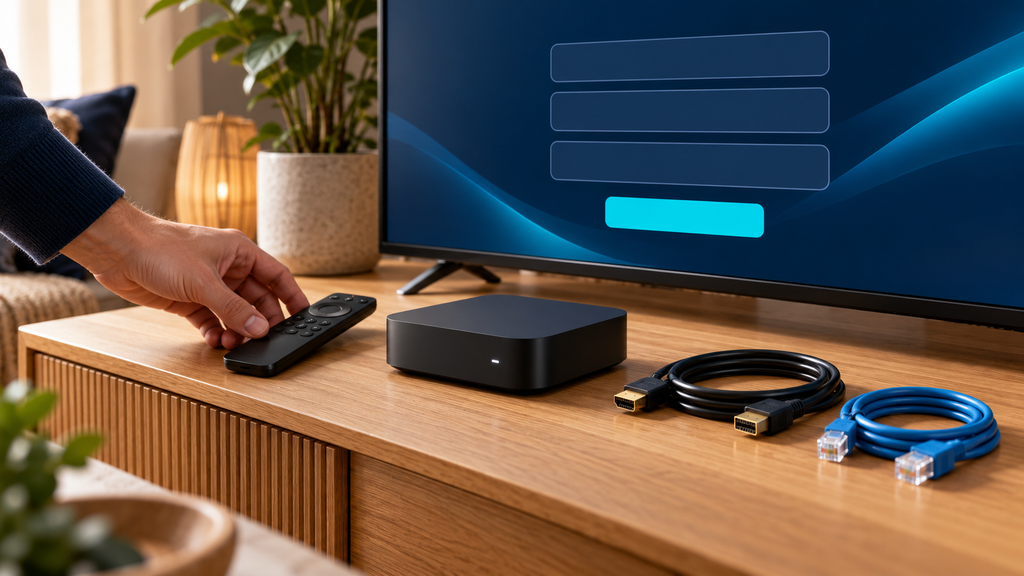
Compare the corresponding options on our current pricing page. Before paying, confirm the relevant content authorisation, seller and support identity, final USD total, connection allowance and complete access period in one written order record.
Prepare your device and evaluate trial access
Our installation guide covers Smart TVs, Fire TV, Android, Apple devices, Windows and macOS through compatible players. Identify the model and operating system before choosing an app, since availability and setup differ between platforms.
Use an official app store or the developer’s official distribution route. Check any player fee before adding it to the budget. Keep the service purchase and app purchase as separate records if they come from different sellers.
Our setup instructions describe Xtream Codes login using a server URL, username and password. They also describe M3U playlist setup in compatible desktop players. Use the method supported by the selected app and enter the supplied details carefully.
Configure the main viewing device first. Once it works, add other permitted devices while staying within the simultaneous-stream allowance. Keep credentials private and follow the household conditions in the subscription terms.
If you evaluate trial access, use the same device, network and player intended for the paid subscription. A test on a different phone or network may be useful, but it does not fully describe the television setup you intend to use every evening.
Order and activate your RealMIPTV subscription
After completing the buying checks, use the RealMIPTV subscription form reached from our pricing page.
- Choose new access or renewal. Select the request type that matches your account situation.
- Enter your name, email and country. Check the email address because the page says order information will be sent there.
- Select your device category. Match the choice to the equipment you will configure.
- Choose connections and duration. Review both selections together and compare them with your intended order.
- Review payment instructions. The form lists PayPal and credit card options. Select an available method, submit the request and follow the instructions supplied.
- Configure activated access. After payment confirmation and receipt of credentials, follow the installation guide in your compatible player.
Our website describes credential delivery through email and WhatsApp after payment verification. Keep the confirmation and check the access period and connection allowance received.
Start with one stream before configuring the rest of the household. This gives you a clear first setup and an order record you can refer to if account details need clarification.
Understand renewal, support and refunds
Our published terms state that RealMIPTV subscriptions do not auto-renew. Access expires after the prepaid period. Continuing requires another purchase, and the order form includes a renewal option.
RealMIPTV advertises WhatsApp support for setup and account questions. For a useful request, provide the order reference, device model, player name and exact symptom. Hide passwords, credential-bearing playlist addresses and payment details in any image you send.
Our refund policy gives eligible first purchases a seven-calendar-day request window from the original purchase date. Requests must go through official WhatsApp support with purchase details, and eligibility conditions apply.
Exclusions include renewals and subsequent purchases, late or repeat refund requests, accounts suspended for terms violations, and issues caused by the customer’s internet, hardware, software or third-party player configuration. The policy does not provide partial or prorated refunds for unused time after the guarantee period.
For eligible requests, the policy describes processing within 24–48 hours and return to the original payment method. It notes that payment-provider processing typically takes another three to seven business days. Keep the purchase date and order details available so the request can be assessed against the stated window.
Keep these terms in the same buying decision as price and duration. A published refund window has defined conditions; it does not make content authorisation, device preparation or seller identity unnecessary.
Frequently asked questions
What evidence supports legit iptv services?
Look for verifiable information linking the supplier to rights for the content and territory involved. Clear prices, a receipt and a functioning player provide useful transaction or setup information, but they do not establish those distribution rights.
Does this article verify RealMIPTV’s content licences?
No. Our public plan and policy pages describe the offer but do not establish verifiable channel-by-channel authorisation. Complete the relevant rights check before purchasing.
Are RealMIPTV prices in Canadian dollars?
Our published terms specify US dollars. Canadian buyers should review the payment provider’s converted amount and applicable provider fees before completing payment.
How many connections should I choose?
Choose the maximum number of independent streams your household needs at the same time. Our order form offers one through five connections. Installed but inactive apps are different from active playback sessions.
Does paying for a player include RealMIPTV?
No. Player charges and RealMIPTV access are separate purchases. Check the app’s included features and billing terms independently from the service’s duration and connection allowance.
Is the trial free, and how long does it last?
Our website advertises a free trial. A fixed duration is not published on the trial page, so use the conditions provided when the access is arranged.
Will RealMIPTV renew automatically?
Our terms state that subscriptions do not auto-renew. The prepaid access expires, and further access requires another purchase. Any separately purchased player’s renewal terms should be checked independently.
Does the seven-day refund policy apply to renewals?
No. The published policy excludes renewals and subsequent purchases. Eligible first purchases have a seven-calendar-day request window, subject to the stated conditions and other exclusions.
Choose with clear purchase expectations
Comparing legit iptv services works best when rights evidence, seller identity and practical plan details are considered together. Complete the content-authorisation check, count the streams your household needs and prepare a compatible player before committing to an access period.
When those requirements are satisfied, use the confirmed currency, full term and connection allowance to choose the RealMIPTV subscription that fits your viewing routine. Compare RealMIPTV plans and select your subscription.