An iptv stream is a television feed delivered through an Internet Protocol network and played on a compatible device. For viewers in the United States, understanding the content source, application, and connection matters more than choosing a service with the longest advertised channel list. This guide explains how streaming works, how to set it up, and how to diagnose problems without confusing player features with subscription benefits.
Table of Contents
Table of Contents
1. What Is an IPTV Stream?
What does IPTV mean?
IPTV stands for Internet Protocol Television, which uses IP networks to deliver television and related media. The International Telecommunication Union’s definition emphasizes managed networks with quality, security, and reliability requirements. Everyday searches also use the term for television delivered over the public internet, so the technical and popular meanings differ. itu.int
Is an iptv stream a channel, subscription, or application?
The stream is the media feed, the provider supplies access, and the player displays it. A subscription determines which content your account can receive, while an application determines how you navigate and play supported content. Installing a player therefore does not automatically purchase channels or establish permission to view them.
Is “IPTV Stream” also an app name?
Yes, the Apple TV application named IPTV Stream is one example of a similarly named player. Its listing describes M3U playlist playback and states that users supply their own content. Check the developer and platform before assuming a search result describes the service or application you intended.
“IPTV Stream does not provide any playlists” — the application’s official App Store listing. App Store
2. How Does IPTV Streaming Work?
How does a television program reach your screen?
A content source is encoded into digital video, delivered across a network, and decoded by your device. Some systems send individual streams to viewers, while managed networks may use multicast to distribute the same channel efficiently. Apple’s HLS documentation describes another common delivery approach using web servers, content delivery networks, and adaptation to available bandwidth. Apple Developer
What is the difference between live TV, VOD, and catch-up?
Live TV follows a broadcast schedule, while video on demand lets you select a title and start it yourself. Catch-up provides access to previously aired programs when the service has that feature and the necessary rights. Time shifting and recording are separate capabilities, so a live channel does not automatically include replay.
| Viewing mode | What it provides | What to verify |
|---|---|---|
| Live TV | Scheduled programming | Channel and location availability |
| VOD | User-selected movies or episodes | Included catalog and expiry |
| Catch-up | Previously aired programs | Replay window and eligible channels |
| Recording | Saved programs through supported features | Storage, retention, and account rules |
Why is live streaming sometimes delayed?
Encoding, transport, and playback buffers can separate an event from the picture on your screen. Different delivery paths explain why a phone notification or another television might reveal a goal first. Reducing a supported delay setting can shorten that gap, but less buffering can make interruptions more likely.
“The lower the broadcast delay, the less buffer the video player will have.” — YouTube TV Help. YouTube TV Help
3. What Equipment and Internet Connection Do You Need?
What should you have before starting?
Start with a compatible device, an appropriate internet connection, and an authorized content source. The service may require its own app or set-top box rather than accepting a general-purpose player. Confirm the supported setup before buying equipment, because an HDMI connection alone does not establish application compatibility.
- Device: Exact model and operating system supported.
- Connection: Stable bandwidth at the viewing location.
- Account: Active subscription or authorized free access.
- Application: Supported player or official service app.
- Details: Required activation, playlist, or login information.
What internet speed does an iptv stream need?
There is no single bandwidth requirement for every stream because bitrate, compression, resolution, and simultaneous viewing differ. YouTube TV’s official recommendations provide one clearly attributed example. Measure performance on the viewing device rather than relying only on the speed printed on your broadband plan.
| Download speed | YouTube TV’s published guidance |
|---|---|
| 3 Mbps or more | Standard-definition viewing |
| 7 Mbps or more | One HD stream |
| 13 Mbps or more | HD with other devices using the network |
| 25 Mbps or more | Available 4K programming for eligible 4K Plus subscribers |
These figures are specific to YouTube TV. YouTube TV Help
How much data does streaming consume?
A useful estimate is average bitrate in Mbps × 0.45 = decimal gigabytes per hour. An 8 Mbps feed watched four hours daily for 30 days uses approximately 432 GB before overhead or changing quality levels. Actual consumption varies, making this an estimate rather than a promise about your bill.
| Assumed average bitrate | Approximate data per hour |
|---|---|
| 5 Mbps | 2.25 GB |
| 8 Mbps | 3.6 GB |
| 20 Mbps | 9 GB |
4. What Are M3U, M3U8, Xtream Codes, and EPG?
What is an M3U playlist?
An M3U playlist contains references to media rather than containing the television programs themselves. A provider may supply a downloadable file or a hosted address that your player refreshes. A single stream URL points to one feed, while a channel playlist can organize many feeds and associated names.
What is an M3U8 file?
M3U8 commonly identifies a UTF-8 playlist, but its role depends on its contents. In HLS, playlists can identify media segments or alternative stream variants, as described in RFC 8216. A familiar extension therefore does not guarantee that every application can interpret the file. RFC Editor
What are Xtream Codes login details?
Compatible players may offer a login method labeled Xtream Codes that asks for a server address, username, and password. Use that option only when your service supplies and supports those details. Copy information carefully, preserve required ports, and keep credentials out of public screenshots.
What is an electronic program guide?
An EPG, or electronic program guide, connects channel identifiers with schedules and program descriptions. Correct playback does not prove that the guide source is configured correctly. Empty listings can involve missing data or channel matching, while incorrect times can involve time-zone settings.
| Item | Main purpose | Typical input |
|---|---|---|
| M3U playlist | Organize media references | File or playlist address |
| M3U8/HLS manifest | Describe supported stream resources | Manifest URL |
| Xtream-style login | Access a compatible provider account | Server, username, password |
| EPG | Display program schedules | Supported guide source |
5. Which Devices and Players Can You Use?
Can you watch on a smart TV?
Smart TVs use different operating systems, so app support depends on the model and software version. Samsung and LG platforms should be checked separately from Android TV and Google TV devices. An external streaming device can provide another supported platform when the television’s built-in apps are unsuitable.
Can you watch on Fire TV, Apple TV, Android TV, or Roku?
Choose a platform supported by both the content service and the required application. The official Android TV and Google TV pages explain their app-based television platforms, but individual app and content availability still varies. Native playback, casting, and screen mirroring are different methods and should be verified separately. android.com
How can you watch an iptv stream on a computer?
A service may support browser playback, a desktop application, or compatible network streams. On desktop VLC, the official documentation describes opening supported network streams through Media → Open Network Stream. Paste only a stream you are authorized to access, and recognize that provider-specific protected playback may require its official app. VLC Desktop User Documentation 3.0 documentation
Can you watch on Android, iPhone, or iPad?
Use a mobile application that supports your account and operating system. Confirm mobile data settings before extended viewing, especially when your plan has a data allowance. Casting, background playback, downloads, and subtitles depend on the application and service.
How should you compare IPTV players?
Check input methods, guide navigation, accessibility, parental controls, and supported audio or video formats. Hardware research is available from CNET and TechRadar’s streaming-device guide, although the supplied TechRadar page carries a 2022 update date. Verify current model specifications and official compatibility before treating an older review as purchase guidance. TechRadar
6. How Do You Set Up an IPTV Stream Step by Step?
How do you use a provider’s official application?
Official applications can combine account activation, channel access, and playback settings. Follow the service’s instructions rather than importing unrelated playlist credentials. Menu names vary, but the basic sequence is straightforward.
- Confirm that the service supports your exact device.
- Install its verified application.
- Sign in and complete any activation process.
- Review location, profile, and parental-control settings.
- Test the included channels and features.
How do you add an iptv stream to a compatible player?
General-purpose players require a supported content source supplied separately. Select the input method your provider actually supports. Adding an EPG may be a separate operation.
- Install the verified player.
- Choose playlist, network URL, or supported account login.
- Enter the authorized information without changing its format.
- Load channels and add the guide when required.
- Check time zone, audio, and subtitle settings.
- Test playback before organizing favorites.
How do you confirm that setup worked?
Play several channels and any included on-demand content. Check sound, picture, guide timing, and navigation rather than judging success from a loaded channel list. If only one feed fails, investigate that feed before rebuilding the entire installation.
7. Why Is My IPTV Stream Buffering or Not Working?
How do you identify where the problem starts?
First establish whether the failure affects one channel, one application, or every streaming application. Then compare another device or connection when available, keeping other conditions similar. This isolates likely causes more effectively than changing several settings together.
Why does an iptv stream freeze despite fast internet?
A speed test measures throughput during a test, not uninterrupted delivery throughout an evening. Google’s Wi-Fi troubleshooting guidance identifies distance, physical barriers, competing traffic, and interference as performance factors. Compare wired playback, pause background downloads, and check whether unrelated services also struggle. Google Home and Nest Help
Why do login or authentication errors appear?
Check account activation, expiry, copied credentials, and the complete server address. Confirm that the selected login method matches the provider’s instructions and that another device has not exhausted the connection allowance. If those checks pass, ask support to verify the account rather than repeatedly reinstalling the player.
Why does a playlist show no channels?
Confirm that the address is complete and the subscription or authorized source remains active. Refresh the playlist and verify that the application accepts its format. Report the error and input method to support without sending your full credential-bearing URL.
Why is there a black screen or no sound?
A feed can reach the player while its video or audio format remains unsupported. Test another channel, inspect the audio track, and compare a documented decoder setting. Report the device model and affected feeds if the issue persists.
Why is the EPG missing or showing incorrect times?
Refresh the guide and compare its source with the provider’s instructions. Check channel matching and time zones, including daylight-saving changes relevant to your location. A guide problem can be diagnosed separately when the channels themselves still play.
| Symptom | First check | Next diagnostic step |
|---|---|---|
| One feed fails | Other channels | Check provider status |
| All channels buffer | Other apps and connection stability | Compare Ethernet |
| Login fails | Account and credentials | Verify login method |
| Picture without sound | Audio track | Check format support |
| Empty guide | Guide source and refresh | Check channel matching |
8. How Can You Improve Playback Quality?
Is Ethernet better than Wi-Fi?
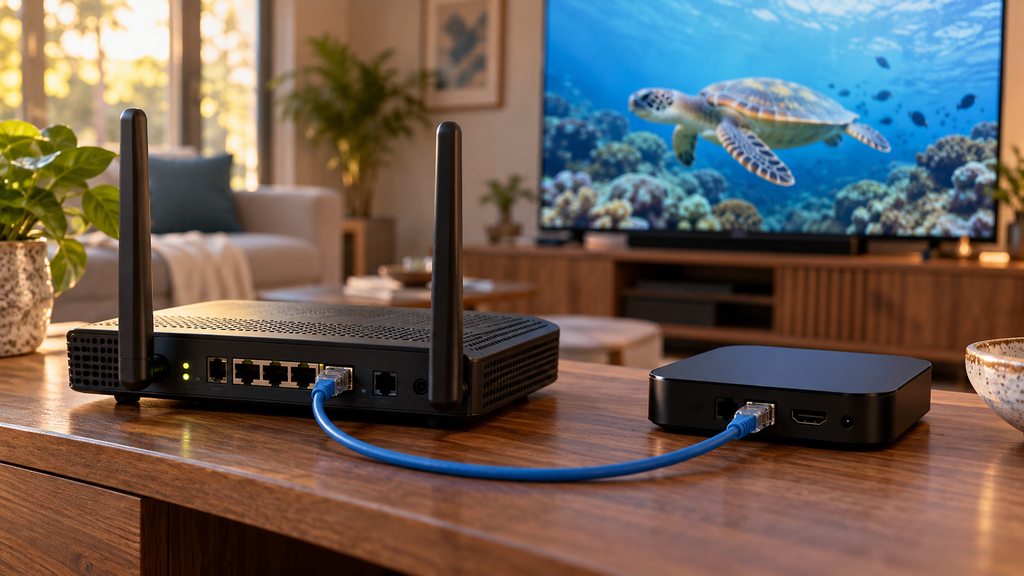
Ethernet removes the wireless link between the viewing device and router, making it a useful comparison when diagnosing Wi-Fi problems. Good Wi-Fi can still work well, while a wired connection cannot repair an unavailable provider feed. Google’s network-performance guidance provides additional checks, with HowStuffWorks available for supplementary technology reading. Google Home and Nest Help
Which playback settings matter?
Use supported decoding, resolution, refresh-rate, and audio settings. A larger buffer may help some delivery interruptions while increasing startup time or live delay. An output labeled 4K does not prove that the source contains native 4K detail.
How can you test reliability?
Test ordinary viewing and busy periods using the channels your household actually needs. Record the device, connection, startup time, interruptions, and guide behavior. Change one condition at a time so you can identify what improved.
Illustrative case study: isolating a wireless problem. A hypothetical household has a fast broadband plan but interruptions on a television far from the router. If the same feed runs consistently over Ethernet under similar conditions, that result points toward the wireless path. If several devices still fail on that feed while other services work, the provider or feed deserves investigation.
9. How Do You Choose a Live TV Service?
How do you check whether the required channels are available?
Verify the actual channel lineup for your ZIP code and package. For example, YouTube TV’s official availability information directs viewers to check networks for their home area. National advertising alone does not establish access to a particular local station or sports broadcast. YouTube TV Help
Which features should you compare?
Prioritize the channels you watch, supported devices, simultaneous streams, recording, and accessibility. Check whether household rules or location restrictions affect your use. A huge channel count has limited value when your essential programs or devices are missing.
What should you test during a trial?
Verify payment requirements, the renewal date, and cancellation instructions before starting. Test your normal devices during the viewing periods that matter, including live events when available. Record problems early enough to assess support before the trial expires.
- Content: Required channels and programs confirmed.
- Devices: Main television and mobile devices supported.
- Playback: Relevant viewing periods tested.
- Features: Recording, subtitles, and guide checked.
- Terms: Renewal and cancellation understood.
10. What Does the Complete Setup Cost?
Which recurring and one-time costs should you include?
Count the content subscription, add-ons, optional player fees, equipment, and any additional internet expense. Existing broadband should be distinguished from an upgrade purchased specifically for viewing. Compare the full first-year cost rather than an introductory monthly figure.
How do promotional and renewal prices differ?
An advertised discount may apply only for a limited period or selected customers. Check the regular price, taxes, add-ons, and renewal conditions on the service’s official checkout page. Keep the confirmation because the initial advertisement may not explain every charge.
Should you pay monthly or annually?
Monthly billing offers more opportunities to reassess the service. Annual billing can reduce a stated rate while increasing the amount paid upfront. Compare cancellation and refund terms before interpreting the discount as savings.
| Hypothetical expense | First-year cost |
|---|---|
| Subscription at $45 monthly | $540 |
| Optional add-on at $5 monthly | $60 |
| Streaming device | $60 |
| Annual player fee | $12 |
| Total | $672, averaging $56 monthly |
These figures illustrate budgeting and are not a real provider quotation. They exclude existing broadband and any taxes or additional charges. Removing an unnecessary add-on or player fee changes the total.
11. What Free Viewing Options Are Available?
Where can viewers find authorized free content?
Official broadcaster streams and ad-supported services can provide authorized viewing without a paid television subscription. Pluto TV is one example advertising free live and on-demand entertainment. Verify its available content and devices rather than expecting it to reproduce a paid package. pluto.tv
Is a free player the same as free television?
A player’s price describes the application, not the content rights attached to your account. Some free players need a separately supplied playlist, while others belong to services with included programming. A limited trial also differs from permanent free access.
Why do public playlist links stop working?
Stream addresses can expire, move, become restricted, or disappear when a source changes. An accessible link does not independently establish authorization or long-term reliability. Follow the source’s official access method instead of relying on reposted credentials.
12. Is an IPTV Stream Legal and Safe in the United States?
How can you check content authorization?
IP-based delivery does not by itself determine whether a television service has permission to distribute programs. The U.S. Copyright Office explains copyright owners’ rights, including public performance of audiovisual works and authorization of others. Verify official service identity and distribution information, recognizing that a functioning playlist alone proves neither. U.S. Copyright Office
How can you protect accounts and devices?
Install verified software, review requested permissions, and apply supported updates. Treat playlist addresses containing account tokens as private credentials. Hide those details in screenshots and use available account and parental controls.
Do you need a VPN?
A VPN is not required simply because video uses Internet Protocol. Depending on routing and service policies, it may change speed, location detection, or access behavior. It does not establish distribution rights or guarantee smoother playback.
13. How Does IPTV Compare With Cable, Satellite, and OTT?
What are the practical differences?
Managed IPTV and public-internet OTT both use IP delivery but differ in network arrangements and service control. Cable and satellite use different distribution infrastructure, although their packages may include internet-based features. Wikipedia’s IPTV overview provides broader terminology and historical background.
| Option | Delivery arrangement | Main consideration |
|---|---|---|
| Managed IPTV | Operator-managed IP network | Operator coverage and equipment |
| OTT live TV | Public internet | Broadband and supported apps |
| Cable | Cable distribution network | Local availability and package terms |
| Satellite | Satellite reception equipment | Installation and reception conditions |
Which option suits different households?
Match the delivery method to your channels, connection, and equipment. A sports-focused household should verify regional access before comparing prices. A casual viewer may need fewer live channels, while unreliable broadband can change the suitability of internet-dependent viewing.
Illustrative case study: avoiding the wrong package. A hypothetical sports viewer chooses a lower-priced plan without verifying a required local broadcast. Comparing the ZIP-code lineup before purchase would reveal whether the game is available through that plan or another authorized source. The useful comparison is the cost of meeting the viewer’s needs, not the largest channel total.
14. Frequently Asked Questions About IPTV Stream Playback
Can I watch an iptv stream without a subscription?
Yes, some authorized services provide free viewing. Others require a paid account. A free player alone does not supply channels.
Can I watch without a dedicated set-top box?
Often, a supported television, computer, or phone is sufficient. Some managed services require their equipment. Check the specific provider.
Can one account stream on several devices simultaneously?
That depends on the account’s simultaneous-viewing allowance. Installed devices and active streams are different counts. Review household restrictions as well.
Can I watch while traveling or away from home?
Travel rules vary by service and location. YouTube TV documents restrictions affecting certain programming and locations. Check those rules before traveling. YouTube TV Help
Can I record programs or watch them offline?
Recording requires an included or supported feature. Offline downloads are a separate capability. Neither follows automatically from having live channels.
Can I cast from my phone to a television?
Casting requires compatible sending and receiving devices. The application must support that method. Screen mirroring may behave differently.
Why is live streaming behind cable or sports notifications?
Delivery and buffering introduce delay. Different services follow different paths. Lower-delay modes can increase interruption risk.
Does 4K support mean every channel is available in 4K?
No, device capability and source resolution differ. The program, subscription, and playback path must support it. Upscaling cannot create missing original detail.
Can IPTV replace cable for local channels and live sports?
It can when the selected service meets your viewing needs. Verify local coverage and sports restrictions. Check each essential broadcast individually.
What should I do when a playlist loads but channels will not play?
Test several channels first. Check account validity and playback compatibility. Report affected feeds with private credentials removed.
15. Conclusion: What Makes an IPTV Stream Work Well?
A dependable iptv stream combines an authorized source, compatible playback, and a connection stable enough for the feed. Verify the channels and terms, test the devices you use, and isolate playback failures before changing equipment or applications. Choosing an iptv stream becomes simpler when you evaluate those practical requirements together.