A 4kiptv search can mean looking for a named provider or simply wanting sharper television over the internet. At RealMIPTV, we help you choose a subscription around the programmes you watch, your equipment and the screens playing together. Compare our RealMIPTV plans while using the seven checks below to prepare your purchase.
This guide covers the RealMIPTV subscription offered on this website. Other businesses using similar names have their own prices, account limits and policies. For your household, the useful comparison starts with the complete viewing setup and the actual offer you intend to buy.
Table of Contents
Table of Contents
What does 4kiptv mean when choosing a plan?
The compact search term does not establish one seller, a particular channel lineup or a guaranteed picture format. Identify the website and subscription before comparing offers. A name containing “4K” is different from evidence about the programme reaching your television.

For household displays, 4K UHD normally means 3840 × 2160 pixels, compared with 1920 × 1080 for Full HD. Samsung’s Canadian explanation of 4K televisions describes those dimensions and the difference between native 4K content and upscaling lower-resolution material.
| Description | What it establishes | What still needs checking |
|---|---|---|
| A UHD television | The display supports a UHD resolution | The quality of the programme being received |
| A channel labelled 4K | The listing uses that description | The actual delivered video and original source |
| Player information showing 3840 × 2160 | Reported dimensions of the incoming video | Whether the content was originally produced in 4K |
| HDR or Dolby Vision | A dynamic-range format | Compatibility and availability for the selected programme |
Keep these distinctions in mind when choosing a subscription. The television, incoming stream and original production can have different characteristics. A useful evaluation examines the content you intend to watch on the equipment you will actually use.
Choose your household connections
Picture quality and connection count answer separate questions. Quality concerns the video; a connection allowance concerns how many streams may play together. Start with the busiest normal viewing period in your home.
Our homepage offers connection choices from one to five. Check the current RealMIPTV pricing for the duration and total available for your selection. Device-registration conditions remain separate from simultaneous viewing.
| Your normal viewing arrangement | Connections to consider |
|---|---|
| One television plays while other devices are idle | 1 |
| Two televisions play different programmes together | 2 |
| Two televisions and a tablet play together | 3 |
| Four screens need independent playback together | 4 |
| Five screens need independent playback together | 5 |
Owning five devices does not automatically create a five-stream requirement. Conversely, three people opening different programmes together need enough active connections even if each person owns only one device.
Also distinguish a household plan from sharing access between homes. Our account terms restrict sharing outside your household. Choose connections around permitted use rather than treating a larger allowance as a commercial or redistribution agreement.
4kiptv: seven checks before choosing your subscription
Work through these checks in order: decide what you want, prepare the setup, evaluate it and then choose the commitment. This makes the comparison more useful than relying on a resolution badge or a large catalogue number.
1. Define your 4kiptv viewing priorities
Start with a short list of programmes that would make the subscription useful. Include the exact channel or title, language, normal viewing time and whether you need live television, on-demand access or replay. Those details give your evaluation a clear purpose.
A household mainly watching documentaries has different priorities from one following live sport. For documentaries, fine detail and subtitles may matter most; for sport, motion, continuity and the correct live feed deserve attention. Check the programmes that justify your purchase.
For Canadian viewers, confirm the relevant feed and local schedule. An international channel name does not necessarily identify the regional version you expected. Content availability can vary by location and change over time.
Consider access rights separately from technical playback. A working demonstration tells you that a stream played during that session; it does not establish distribution permission. Settle any essential content or territory requirement before committing to a longer subscription.
2. Check the programme source and the picture in motion
Open the actual programme rather than judging its category thumbnail. Where your player provides video information, inspect the reported resolution and compare it with what you expected. Record which channel or title you checked so the observation remains meaningful.
Reported dimensions are useful, but they do not prove the original production resolution. Lower-resolution material can be upscaled before reaching your screen. Likewise, selecting a 4K output mode on a streaming device does not establish that its incoming programme is native 4K.
Watch ordinary scenes as well as attractive still images. Look at movement, fine detail, subtitles and whether sound remains aligned with the picture. These observations help you judge the experience you will use every day.
Check live and on-demand material separately if both matter. One film playing successfully does not establish the condition of a live feed at another time. Keep a modest record of what worked, what failed and what you did not test.
3. Prepare the television, device and player together
Write down the exact model of your television or streaming device. Then check the player available for that operating system and the login formats it accepts. Our RealMIPTV installation guide covers the main device categories and account setup route.
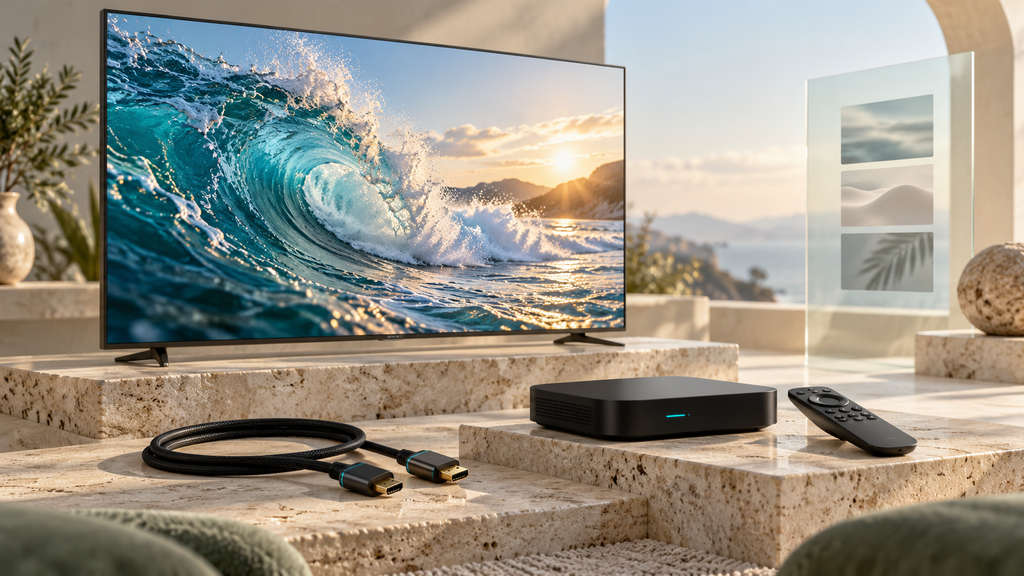
If an external player sends video through an HDMI connection, check the supported output settings, relevant port and any equipment between the player and television. A receiver or older device can introduce a separate compatibility question. Follow the manufacturer’s requirements for the formats you intend to use.
Keep the application purchase separate from account access. Some third-party players charge for a licence or premium functions; a subscription payment does not automatically include those software charges. Establish any required fee before budgeting for the complete setup.
Finally, test usability. Make sure the remote can navigate the guide, the menus remain readable and the preferred audio output works. A compatible player should also be comfortable for the person operating the television.
4. Plan for sustained internet performance and data use
There is no single bandwidth figure that proves every IPTV stream will work. Requirements depend on the delivered video, compression and the rest of your household’s internet activity. Evaluate the connection on the playback device during the period you normally watch.
For context, Netflix recommends a stable connection of 15 Mbps or higher for its UHD service. That is Netflix’s recommendation for Netflix, not a measured RealMIPTV requirement or a guarantee for other streams. Use it as an example of why recommendations must be tied to a particular service.
Leave room for the other streams and tasks running at home. A successful speed test on a phone beside the router does not describe every room or every evening. Where practical, compare the television’s usual connection with a supported wired connection.
Data allowances also matter. As an illustrative calculation, a stream averaging 20 Mbps transfers about 9 GB in an hour before allowing for additional overhead; this is an example, not a measured RealMIPTV bitrate. Check your broadband or mobile-data allowance before planning several hours of daily UHD viewing.
5. Use the trial to investigate your own setup
Our free-trial page invites requests for a free test through WhatsApp. Establish the available length, starting time and stream allowance when arranging access. Install the player first so the session can focus on viewing.
Use the equipment and room you expect to keep using. Check priority programmes, then try ordinary tasks such as changing channels and returning to favourites. Include the guide, replay or on-demand library only where those functions matter to your purchase.
| Trial question | What to record |
|---|---|
| Does my priority programme open? | Exact listing, language and playback result |
| Is the picture suitable? | Reported video information and ordinary viewing observations |
| Can I use the guide comfortably? | Readability, relevant listings and local times |
| Does the required replay work? | The particular programme tested |
| Can the household use its intended screens? | Permitted stream count and devices actually tested |
Mark an untested feature as unresolved. One successful session cannot establish every future programme or viewing period. The trial should help you choose with specific observations instead of assuming every advertised feature behaves identically.
6. Compare the complete USD payment and service period
When comparing 4kiptv offers, keep the connection count and duration consistent. A headline for one stream is not the right budget reference for three simultaneous viewers. Record the total payable and the complete access period.
Our Terms of Use specify US dollars and prepaid access. Canadian buyers should distinguish the USD price from their payment provider’s converted charge. Include any applicable conversion costs, required player payment or hardware purchase separately.
As an advertised example, our pricing page lists US$24.99 for the single-screen three-month option. Dividing the total by three gives US$8.33 per month as a comparison figure. It remains an upfront subscription purchase rather than three monthly payments.
If a selected offer includes additional months, confirm the full service period and resulting expiry date. Do not carry a promotion from one connection option into another without checking its terms. Choose the longer commitment because the tested arrangement suits your home and the complete payment fits your budget.
7. Read support, renewal and refund terms before paying
RealMIPTV advertises WhatsApp assistance around the clock. Keep your order reference, device model, player name and exact error available when requesting help. A clear description helps distinguish an account question from an installation or playback problem.
Our prepaid subscriptions do not renew automatically. Access expires when the confirmed period ends, and continuing requires another purchase. Keep the expiry confirmation with your order details.
The RealMIPTV refund policy provides an eligible new customer’s first purchase with a seven-calendar-day request window through the official WhatsApp channel. It excludes renewals, subsequent purchases, repeat requests and accounts disqualified by policy violations.
The policy also excludes problems caused by customer internet, hardware, software or third-party app configuration. Prorated refunds are not offered for unused time after the guarantee period. Read these conditions alongside the headline before choosing your subscription.
Two household examples: match the account to actual viewing
A couple using one main television
Imagine a couple who watch together in the evening and occasionally use a tablet when the television is off. Although they own several devices, their normal requirement is one active stream. They should evaluate the main television’s setup and confirm the permitted device-switching conditions.
Their trial should focus on the programmes they share, guide readability and any needed subtitles. The tablet is a separate compatibility check. A more expensive connection allowance adds little if simultaneous viewing is not part of their routine.
A family with overlapping evening programmes
Now imagine a family using a living-room television, a bedroom television and a tablet at the same time. The household should consider three simultaneous connections. It also needs a network evaluation covering that combined workload.
Picture priorities may differ between screens. The main television might be the UHD priority while the tablet is mainly used for casual viewing, subject to available sources and settings. Check the intended combination rather than assuming that every screen needs the same video format.
These are hypothetical planning examples, not customer testimonials or measured performance results.
What our RealMIPTV subscription includes
Our published plans combine live TV, on-demand films and series, an electronic programme guide and TV replay. They advertise several video-quality options, including HD, Full HD and 4K/UHD. The availability and suitability of a particular feed still need to be checked.
The value is in matching those functions to ordinary viewing. A guide helps someone find scheduled television; on-demand browsing serves a different habit; replay matters when a particular past broadcast is available. Evaluate the functions you intend to use.
Our installation hub provides setup guidance for Smart TVs, Fire TV, Android, Apple devices and computers. The chosen app, model and software determine the appropriate steps. Account access, a player licence and internet service remain separate parts of the complete arrangement.
Choose the connection allowance first, then compare the available durations and current total. This makes the RealMIPTV subscription a household decision rather than a purchase based only on a picture-quality label.

How to order and activate your RealMIPTV subscription
Start from the current pricing information and retain the duration and connection count you selected. Use the WhatsApp contact entry published on our trial page for assistance arranging the order.
- Choose the household option. Identify the simultaneous connections and subscription period you want.
- Confirm the complete offer. Settle the final USD total, possible additional charges, full access period, promotional time, device conditions and essential content requirements in one confirmation.
- Follow the supplied payment route. Keep the order confirmation and transaction reference.
- Receive the account credentials. Our terms describe delivery through WhatsApp after purchase.
- Configure your player. Follow the installation guide and enter the supplied values for the chosen login method.
- Check the delivered account. Compare the expiry information and permitted streams with your order, then open the programmes that influenced your purchase.
For login methods using a server address, username and password, copy each value carefully. If setup fails, retain the exact error before changing multiple settings. Send only redacted screenshots when requesting help.
After successful playback, organise favourites and guide preferences for the household. Keep the account confirmation accessible so future support or renewal questions refer to the correct plan.
Frequently asked questions
Is 4kiptv the same as RealMIPTV?
The search term can refer to similarly named businesses or general interest in UHD television. RealMIPTV is the service offered on this website. Check the domain and the seller attached to an offer before applying its prices, account limits or policies to a purchase.
Does a 4K television make every channel native 4K?
No. A UHD television can display lower-resolution material through upscaling. The screen’s capabilities, reported stream dimensions and original production quality are different pieces of information. Check the actual programme rather than treating the television label as proof about every incoming feed.
How fast must my internet be for UHD IPTV?
Requirements vary with the stream and your simultaneous household workload. Netflix’s published 15 Mbps UHD recommendation applies to its own service; it is not a universal IPTV threshold. Evaluate your intended programmes on the playback device and leave room for other internet use.
Does a multi-connection plan guarantee several native 4K feeds?
No. The connection allowance sets how many streams may play together. It does not establish the original resolution of each programme or the capacity of your network and devices. Check stream availability and the permitted simultaneous setup separately.
Are RealMIPTV subscriptions priced in Canadian dollars?
Our terms specify USD. Check the total for the selected plan and distinguish it from the amount your payment provider converts into Canadian dollars. Any required software charge or new equipment should also be included in the household budget.
Can I request a free trial before subscribing?
Yes. Our trial page provides a free-test request route through WhatsApp. Arrange the available duration and stream allowance before starting, and prepare the player in advance. Use the session to investigate the programmes and functions that matter to your purchase.
Does the subscription renew automatically?
No. RealMIPTV’s published terms describe prepaid subscriptions without automatic renewal. Access ends after the confirmed service period, and another purchase is needed to continue. Retain the expiry information and reassess your household’s connection needs before renewing.
Does the seven-day refund guarantee apply after renewal?
No. The published policy limits the guarantee to an eligible new customer’s first purchase and excludes renewals or subsequent purchases. Additional exclusions apply, including customer connection, equipment and application-configuration issues. Read the full policy before payment.
Choose your RealMIPTV plan around a prepared setup
Turn your 4kiptv search into a clear household choice: identify the programmes, prepare the player, evaluate the actual picture and count simultaneous streams. Then select the subscription period and complete payment that suit the setup you intend to use.
Compare RealMIPTV plans and choose your connections and duration.