Choosing 4K IPTV means checking the complete viewing setup: the programme source, player, streaming device, television and internet connection. A subscription can advertise UHD support while the particular channel you open uses a different resolution.
At RealMIPTV, our published plans include live television and on-demand categories with multiple quality options. Compare our RealMIPTV plans, then use the eight checks below to decide which connections and subscription period fit your household.
The practical goal is to establish what you can watch on your own equipment before making a longer commitment. Start with the programmes you want, prepare the player and test the actual viewing conditions.
Table of Contents
Table of Contents
What do the main picture-quality labels mean?
For household televisions, 4K UHD normally refers to 3840 × 2160 pixels. Full HD is 1920 × 1080, so a UHD frame contains four times as many pixels.

Samsung’s Canadian 4K explanation also describes upscaling, which adapts lower-resolution content for a higher-resolution screen. That process is different from receiving a programme originally produced and delivered in native 4K.
| Label or measurement | What it tells you | What it does not establish |
|---|---|---|
| 4K/UHD television | The screen supports a UHD display resolution | That the current programme arrived in native 4K |
| 3840 × 2160 stream information | The dimensions reported for the delivered video | The resolution used during original production |
| HDR or Dolby Vision | A supported dynamic-range format | That every channel supports it or that it means 4K by itself |
| A channel name containing “4K” | The listing uses that label | Independently verified source quality |
Use these distinctions when comparing offers. A screen label, an application listing and the video information describe different parts of the experience.
Our service descriptions include guide and replay features as well as live and on-demand viewing. Check their availability on the particular programmes you intend to use, alongside picture quality.
4K IPTV: 8 checks before choosing your subscription
1. Check the programme source, not just its name
Make a short list of the channels, films or programmes that would justify your purchase. Include the language feed, viewing time and whether the item is live or on demand.
A service-wide UHD description does not establish a fixed resolution for every item. Our terms state that specific content availability can vary by region and change, so confirm the material that matters to you.
If the player offers video information, inspect the reported stream dimensions during playback. Keep that separate from the television’s input display, which may only describe the signal sent by an external streaming device.
Even a delivered 3840 × 2160 frame can contain material upscaled earlier in the production or distribution process. Stream information helps establish delivery dimensions; it does not independently prove native camera capture or source provenance.
Check the authorized viewing availability for your country as well. A playable feed, payment receipt or UHD label does not establish content-distribution rights for a particular territory.
For Canadian buyers, a specific programme and Canadian feed are more useful requirements than a broad promise of international coverage. Use those requirements during a trial instead of judging the entire service from one attractive demonstration.
2. Check the television and every external video connection
Confirm the exact television model and supported display formats. If you are using an external streaming device, include its output, the HDMI cable and any receiver or soundbar carrying the video signal.
Apple’s 4K and HDR setup guidance explains that the selected HDMI input, settings, cables and intermediary equipment can affect the available formats. A capable television alone does not establish that the entire connection path is configured correctly.
Use your model’s instructions to identify the appropriate input and any enhanced video setting. Avoid copying a menu path from a different television when the labels or supported options differ.
If the picture fails through a receiver, a temporary direct connection from the streaming device to the TV can help isolate that part of the path. Reintroduce other equipment after identifying which configuration works.
With a player installed directly on a Smart TV, an external HDMI cable is not part of that application’s video path. Concentrate on the television’s app support, network connection and playback settings instead.
Test with equipment you already own before deciding that a hardware purchase is necessary. A useful diagnosis identifies a specific compatibility or configuration issue rather than assuming every picture problem requires a new television.
3. Prepare the player and check the relevant video format
Our RealMIPTV installation guide covers compatible televisions, Fire TV, Android, Apple devices and computers. Application availability and capability still depend on the model, operating system and region.
Install an appropriate player through its official store or a verified developer source. Confirm that it supports the account format supplied to you, rather than buying software solely because its name mentions IPTV.
A player licence is separate from service access. Check whether the selected application charges for features or installations, and establish what the quoted subscription price includes.
Check format compatibility as well as resolution. A device’s ability to play one UHD video in one application does not establish compatibility with every stream format in another player.
4K, HDR and motion handling also describe different characteristics. Apple documents both 4K SDR and HDR display formats; a 4K programme does not automatically require or include HDR.
Use picture and audio settings supported by the actual equipment. If colours appear wrong, sound disappears or video stutters, record the symptom and current settings before changing several options at once.
Keep normal usability in the test: remote navigation, readable guide text, subtitles and your preferred audio output. A good picture is only useful if the household can operate the player comfortably.
4. Plan for sustained bandwidth and data consumption
There is no single internet speed that proves every 4K IPTV stream will work. The required capacity depends on the delivered stream’s bitrate, other active traffic and the performance of the connection where you watch.
Check the actual device and room, not just a headline broadband package. A wired connection can be useful for comparison when supported, while ordinary evening testing helps expose conditions absent during a quiet daytime session.
Use this clearly hypothetical planning example: if each selected stream uses 20 megabits per second, two streams together use 40 megabits per second for video alone. Leave capacity for other traffic and fluctuations rather than treating that total as a complete internet-package recommendation.
| Active streams at the assumed bitrate | Illustrative video load |
|---|---|
| One stream at 20 Mb/s | 20 Mb/s |
| Two streams at 20 Mb/s each | 40 Mb/s |
| Three streams at 20 Mb/s each | 60 Mb/s |
These figures are arithmetic examples, not measured RealMIPTV bitrates or guaranteed minimum speeds. A different stream can require a different amount of data.
Data allowances matter too. A constant 20 Mb/s stream for one hour transfers approximately 9 GB of video data, using decimal units and excluding overhead; check your internet or mobile allowance before lengthy viewing.
If playback stalls, pause a large download, try another channel or compare a supported wired connection. Change one condition at a time and record the result.
5. Count simultaneous screens separately from video quality
Connection count and picture resolution answer different questions. Your subscription determines how many streams can play together, while each programme and viewing setup determine the quality experienced on that screen.
RealMIPTV’s pricing page lists single-screen and multiple-screen options. Select the account around overlapping playback rather than counting every device in the home.
| Household pattern | Requirement to compare |
|---|---|
| One person alternates between TV and tablet | One active stream, plus permitted device-switching conditions |
| Living-room and bedroom televisions play together | Two simultaneous connections |
| Two televisions and a phone play together | Three simultaneous connections |
| Four or five screens overlap | Confirm the current option, duration and total for that selection |
Imagine a household using UHD on the living-room television while someone watches another programme on a tablet. It needs capacity for two simultaneous streams even if the tablet does not use UHD.
Now imagine one viewer switching from a television to a phone after dinner. That is a different requirement from two screens playing together; establish any device-registration restrictions separately.
The bandwidth calculation should follow the actual mix of streams, rather than assuming every screen uses an identical bitrate. Our account terms also restrict credential sharing outside your household.
6. Compare the duration, currency and complete payment
Compare RealMIPTV pricing for the connection option you actually need. A single-screen headline does not establish the total for a household using several programmes at the same time.
Our published terms describe prepaid subscriptions in US dollars, with standard durations of three, six or 12 months. For Canadian buyers, distinguish the USD selling price from any conversion or payment-provider charge affecting the final payment.
As an advertised reference, our pricing page lists a single-screen three-month subscription at US$24.99. Confirm the current total for the selected duration and connection count before arranging payment.
When comparing longer offers, distinguish the amount due now from a monthly equivalent. If promotional months are included, confirm the complete service period and resulting expiry information for that particular offer.
A shorter commitment can suit a household still checking a new player or viewing routine. A longer commitment makes sense when the confirmed setup and programmes fit your needs over that period.
Before paying, settle any unresolved material points together: final amount and charges, duration and bonus time, device limits, trial conditions and the availability or authorization of essential content.
Treat 4K IPTV as a specific viewing requirement, rather than a reason to overlook the rest of the agreement. The useful purchase is the plan that matches your screens, tested setup and intended viewing.
7. Make the free trial answer specific UHD questions
Our free-trial page provides a WhatsApp route for requesting a test. Confirm the available duration, start time and stream allowance when arranging it.
Prepare the television, application and network beforehand. Use the session to examine your intended viewing, rather than spending most of it installing software.
| Trial task | Evidence to record |
|---|---|
| Open a priority programme | Correct feed, audio and successful playback |
| Inspect video information where available | Reported stream dimensions, separate from TV output |
| Watch motion and darker scenes | Stutter, visible artefacts or unsuitable colour settings |
| Try normal household conditions | Device, connection, time and other active traffic |
| Check guide or replay where relevant | Whether the specific feature works for the chosen programme |
Record what you have actually established. A channel that played briefly is different from one observed during a normal session, and an unavailable diagnostic should remain an unknown.
If simultaneous viewing matters, establish whether the offered trial allows that test. A single stream cannot demonstrate performance across all intended screens.
A useful 4K IPTV trial also provides a baseline for later support. Keep a private note of the device, player and settings that worked, without storing credentials in a shared household document.
8. Confirm the plan and check the delivered account
Start with the pricing page, then use the WhatsApp contact published on our trial page to discuss the current order details. State the required duration and simultaneous connections clearly.
Follow this sequence:
- Confirm the offer. Review the USD total, service period, connections and any applicable promotion.
- Confirm the payment route. Use the instructions supplied for the order and retain the transaction reference.
- Receive the account details. Our terms describe delivery of subscription credentials through WhatsApp after purchase.
- Configure the player. Follow the supplied login format and copy each value carefully.
- Check the first session. Open relevant programmes and compare the delivered account with the confirmed agreement.
Do not substitute another person’s server address or credentials when troubleshooting. Remove accidental spaces and confirm the login method before changing settings.
Keep the order confirmation, purchased duration and connection count together. Report any mismatch promptly so the issue can be assessed against the actual purchase.
Retest your chosen UHD material after activation. A working trial is useful evidence, but it does not replace checking the account you intend to use over the purchased period.
What should you know about support, renewal and refunds?
For setup assistance, start with the installation guide and the published WhatsApp contact. Describe the device, player, programme, exact symptom and steps already tried; redact passwords and account details from screenshots.
Our terms state that subscriptions do not renew automatically. Access expires at the end of the prepaid period, so review your current needs before arranging another purchase.
Read the RealMIPTV refund policy before committing. Its seven-calendar-day request period applies to a new customer’s first purchase, subject to eligibility and exclusions, and requests must be initiated through the official WhatsApp channel.
The policy excludes renewals, subsequent purchases, repeat requests, account violations and issues caused by the customer’s internet, hardware, software or third-party app configuration. It does not provide prorated refunds for unused time after the guarantee period.
That makes device and network preparation relevant to the purchase decision as well as picture quality. Keep a clear test record so any problem can be described accurately instead of assuming that every playback issue has the same cause.
<a id=”four-k-faq”></a>
Frequently asked questions
What is 4K IPTV?
It refers to internet television delivered with UHD video options, commonly 3840 × 2160 for consumer televisions. Verify the actual programme and viewing setup; the label alone does not establish native production quality.
Does owning a 4K television make every channel native 4K?
No. The television can adapt lower-resolution material to its display. Check the delivered stream separately, and remember that its dimensions alone do not establish the original production resolution.
How fast should my internet be?
Base the requirement on the actual streams, simultaneous viewing and other traffic. The 20 Mb/s example above is illustrative arithmetic, not a universal service requirement or a guaranteed threshold.
Do I need HDR to watch UHD video?
No. UHD resolution and dynamic range describe different characteristics. A compatible setup can display 4K SDR; HDR viewing requires support for the relevant format throughout the applicable video path.
Is the player included with a RealMIPTV subscription?
Check the chosen application’s terms and the quoted offer. Third-party software can have separate charges, so do not assume a service purchase includes every player licence or premium feature.
Can I request a free trial?
Our trial page invites requests through WhatsApp. Confirm its available period and stream limit, then test the same device, app and viewing conditions you expect to use after subscribing.
Does a three-connection plan guarantee three native 4K feeds?
Connection count describes simultaneous playback. Native quality and available resolution depend on the selected programmes and complete setup; test the intended mix rather than assuming a catalogue-wide guarantee.
Can I get the seven-day refund after renewing?
The published guarantee applies to a new customer’s first purchase and excludes renewals or subsequent purchases. Review the full policy, including device and network exclusions, before paying.
Choose your plan around a verified viewing setup
Choose 4K IPTV by checking the source, screen, player and network together. Count the streams your household needs, confirm the desired content and use the available trial to investigate the actual setup before selecting a commitment.
Explore RealMIPTV plans and current pricing to compare the connection option and duration that fit your household.<!– PUBLIC_ARTICLE_END –>
D. Four image briefs
Proposed assets only. Each uses a 16:9 canvas, preferably 1920 × 1080. Simulated screens must not be presented as proof of native resolution or actual testing.
| Placement | Filename | Visual brief | Precise alt text | Optional caption |
|---|---|---|---|---|
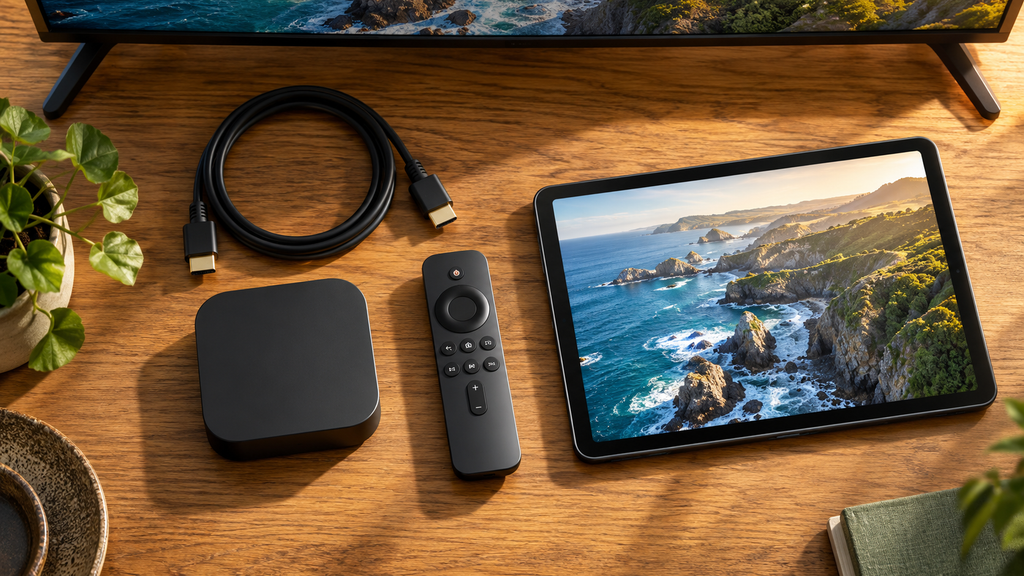
| After the introduction | 4k-iptv-viewing-overview.webp | Editorial illustration of a large TV displaying an original landscape, with a generic player and remote. Clear conceptual artwork, no provider logos, channel counts, quality certification or before-and-after claims. | Illustration of 4K IPTV viewing on a television with a streaming device and remote. | Check the source and the complete viewing setup. |
| After check 5 | realmiptv-simultaneous-screen-choice.webp | Precise SVG or vector diagram with three separate examples: one active screen, two active screens and three active screens, matched to the same simultaneous-connection counts. Distinguish an idle device. Do not generate this as an imprecise AI diagram. | Diagram matching one, two and three active household screens to simultaneous connections. | Connection count describes streams playing together. |
| After check 3 | uhd-player-hdmi-preparation.webp | Editorial device-preparation illustration showing a TV, external player, HDMI cable and remote, with a small generic compatibility checklist. No exact settings screenshot, credentials or claim that all devices support every format. | Television, player and HDMI cable beside a video-format preparation checklist. | Match the player and connections to the equipment you own. |
| After check 8 | realmiptv-plan-activation-check.webp | Editorial illustration of plan confirmation in a generic messaging window beside a TV starting playback. No payment details, phone numbers, copied checkout form or promised activation time. | Illustration of confirming a subscription plan and checking television playback after activation. | Compare the delivered account with the confirmed order. |
E. BlogPosting JSON-LD configuration draft
The installed schema graph has not been inspected. Configure the existing Article/BlogPosting entity where available rather than adding a second graph.
{
  "@context": "https://schema.org",
  "@type": "BlogPosting",
  "headline": "4K IPTV: 8 Essential Checks for a Sharper TV Experience",
  "description": "Choose 4k iptv with clear checks for source quality, devices, internet, household connections and trial testing. Compare RealMIPTV plans before you subscribe.",
  "inLanguage": "en-CA",
  "articleSection": "IPTV picture quality and subscriptions",
  "keywords": [
    "4k iptv",
    "RealMIPTV plans",
    "RealMIPTV subscription",
    "RealMIPTV pricing"
  ],
  "wordCount": 2609
}
Add the actual published URL, real author, publication and modification dates, and uploaded image when known. Reuse existing Organization and WebSite identifiers only after inspecting them. Those fields are omitted here rather than filled with invented values; the draft does not establish eligibility for a search enhancement.
No Offer, review or rating markup is supplied. A completed checkout and final offer terms were not verified. Keep the visible FAQs for readers; Google’s current documentation records that FAQ rich results stopped appearing on May 7, 2026, so no FAQ enhancement is promised.

F. Rank Math completion and editorial notes
| Check | Status |
|---|---|
| Exact focus keyword and RealMIPTV secondary phrases | prepared in the delivered text |
| Focus keyword entered in the saved Rank Math field | pending verification inside WordPress |
| Five counted titles and counted meta description | prepared in the delivered text |
| Saved snippet fields and power-word/sentiment detection | pending verification inside WordPress |
| Proposed slug and canonical recommendation | prepared in the delivered text |
| Final permalink, canonical and existing-post keyword reuse | pending verification inside WordPress |
| One article H1, relevant H2/H3, eight numbered checks and eight FAQs | prepared in the delivered text |
| Rendered heading hierarchy without a duplicate theme H1 | pending verification inside WordPress |
| Linked contents with matching anchor targets | prepared in the delivered text |
| Detectable contents block and editor integration | pending verification inside WordPress |
| Contextual internal links and two primary technical references | prepared in the delivered text |
| Rendered link destinations, attributes and builder content detection | pending verification inside WordPress |
| Short paragraphs and measured text statistics | prepared in the delivered text |
| Plugin word count, density, placements and readability detection | pending verification inside WordPress |
| Four distinct image briefs and proposed descriptive alt text | prepared in the delivered text |
| Real uploads, image insertion and implemented alt attributes | pending verification inside WordPress |
| BlogPosting JSON-LD configuration draft | prepared in the delivered text |
| Existing entity identifiers, final schema output and validation | pending verification inside WordPress |
| Actual saved-post Rank Math SEO score | pending verification inside WordPress |
| Content AI recommendations, account checks and separate score | pending verification inside WordPress |
Measured text statistics
- Public article: 2,609 words.
- Exact focus-phrase occurrences, ignoring capitalization: 8.
- Manual occurrence density: 0.31%, calculated as occurrences ÷ article words × 100. Rank Math may tokenize or calculate differently; no arbitrary density target was imposed.
- Article structure: 1 H1, 8 numbered checks, 8 FAQs and 13 contents links.
- Selected title: 55 characters. Meta description: 158 characters, including spaces and punctuation.
The count includes visible headings, contents labels, table text, FAQs and link labels. It excludes destination URLs, HTML anchors, Markdown divider syntax and everything outside the public-article markers. It is a manual measurement, not a measured WordPress result.
The bandwidth examples were calculated: 20 Mb/s multiplied by 1, 2 and 3 streams gives 20, 40 and 60 Mb/s; 20,000,000 bits/s × 3,600 seconds ÷ 8 ÷ 1,000,000,000 gives 9 decimal GB. They are hypothetical arithmetic, not measured service bitrates or universal network requirements.
Rank Math SEO and Content AI are separate analyses. Keyword-specific Content AI recommendations can alter generic targets, but none were supplied or inspected. No actual score, ranking guarantee or guaranteed AI citation is claimed.
Research limitations and material issues
Research checked October 22, 2026. The current RealMIPTV prompt, seller pages and primary manufacturer guidance were read. No payment, activation, decoder, stream, native-resolution or playback test was performed.
- Source quality and rights: Particular native 4K sources, codecs, bitrates, HDR formats, channel-specific UHD availability and Canadian territorial authorization were not independently established. The article separates reported video dimensions from original production quality. Broad promises of guaranteed resolution, universal compatibility, zero buffering, subscriber counts and measured uptime were not repeated as verified facts.
- Commercial details: US$24.99 is an advertised single-screen, three-month reference from the pricing page; USD and prepaid terms are explicit in the terms. It is not a verified final checkout amount. Bonus periods, complete connection-price combinations, current four/five-screen offers and final payment charges require confirmation. A connection-selection table is used instead of an incomplete full-price matrix.
- Trial and ordering: The trial page advertises a free test through WhatsApp. Its fixed duration, start schedule and stream limit were not established. A retrieved pricing Order Now link returned the pricing page, so no independent checkout fields or payment flow were verified. The article uses the published trial-page contact route; correct the order/support destinations before publication.
- Policy wording: The detailed refund policy limits the seven-day guarantee to a new customer’s first purchase and lists exclusions. Do not use its broad headline to imply an unconditional refund for renewals or customer device/network problems. No other brand’s trial or refund terms were transferred.
- Implementation: Existing keyword use, final URL, author identity, installed plugin version, builder analysis and schema identifiers remain uninspected. The source prompt was not modified by this article task.
GMC note — outside the public article
Google Merchant Center lists streaming content among unsupported Shopping content under Services. Article SEO or valid BlogPosting markup does not establish Shopping eligibility. Do not disguise the subscription as a supported product category; Shopping limitations are separate from ordinary organic-search optimization.
Research references
- RealMIPTV: homepage, pricing, installation, free-trial contact route, terms and refund policy.
- Technical: Samsung Canada’s 4K resolution and upscaling explanation and Apple Canada’s 4K/HDR, HDMI and receiver guidance.
- Publishing: Rank Math SEO score versus Content AI score, Google Search documentation updates and Merchant Center unsupported Shopping content.
Finish implementation
Confirm outstanding commercial and UHD-source details and correct the order/support destinations. Create or update the appropriate post, omitting the body H1 if the theme already renders the post title as H1. Enter the focus keyword, snippet and final permalink; insert a detectable contents block and real images with accurate alt text; inspect and validate the existing schema output.
Save the post and review the actual failed checks. If Elementor or another builder does not expose the content correctly, investigate editor detection before rewriting accurate prose. Apply any supplied Content AI recommendations separately and keep verified business facts intact.