Choosing the best iptv plan means matching your viewing habits to the right number of simultaneous streams, a suitable subscription length, and a player that works on your device. At RealMIPTV, our prepaid packages bring live television and on-demand entertainment together, with single-screen and multi-screen options. Start with our RealMIPTV plans to compare the published packages.
For a Canadian household, the useful questions are practical: can two people watch different programmes, what currency is charged, and how will the living-room television connect? Answering those questions first makes the purchase easier and helps you avoid paying for connections you will rarely use.
This guide explains seven buying checks, shows how our advertised packages differ, and takes you through device preparation and ordering. You can choose around your household’s actual routine rather than a headline monthly figure alone.
Table of Contents
Table of Contents
RealMIPTV plans and pricing
Our published pricing includes three single-screen durations and selected packages for two or three simultaneous connections. The table shows advertised totals rather than a promise of monthly instalments. Our Terms of Use identify the currency as US dollars, or USD.
| Advertised package | Simultaneous connections | Advertised total, USD | Published access period |
|---|---|---|---|
| 3 months, single screen | 1 | $24.99 | 3 months |
| 6 months, single screen | 1 | $34.99 | 7 months, including 1 bonus month |
| 12 months, single screen | 1 | $59.99 | 15 months, including 3 bonus months |
| 6 months, two devices | 2 | $64.99 | 6 months |
| 6 months, three devices | 3 | $99.99 | 6 months |
| 12 months, two devices | 2 | $99.99 | 12 months |
| 12 months, three devices | 3 | $149.99 | 12 months |
Compare the current RealMIPTV pricing when selecting your package. The single-screen bonus periods above should not be added to the multi-screen packages.
Before payment, obtain one written order confirmation covering the total in USD, connection allowance, any bonus months, activation and expiry dates, and availability for your Canadian location and chosen device. That confirmation should match the package you intend to buy.

7 essential checks for choosing the best iptv plan
1. Define what the best iptv plan needs to include
Start with a short viewing list: your preferred live programmes, languages, news coverage, and on-demand interests. Five things you regularly watch give you a more useful buying brief than a long list of channels you will never open.
For example, a household that mainly watches French-language programmes and evening news has different priorities from one that spends most evenings browsing films. Think about access to the programmes that matter to you, the convenience of the guide, and whether replay is useful for your routine.
Our terms explain that particular channels and content can vary by region and change over time. A large catalogue is a starting point for choosing a service; it does not mean every title or event will always be available.
2. Count simultaneous streams, not installed apps
A connection is an active viewing stream. If one television plays a programme while a second television plays something different, your household needs two simultaneous connections.
Having an IPTV player installed on several devices does not automatically mean those devices can all stream together. The subscription’s connection allowance still applies, and installation or device-switching permissions are separate from the concurrent-stream limit.
Count the busiest realistic evening in your home. A television in use downstairs, a film upstairs, and another person watching on a tablet represent three streams, even if each person only watches for part of the evening.
3. Choose a duration that matches your confidence
A shorter prepaid term limits the amount committed upfront and gives you an earlier opportunity to reconsider your viewing needs. A longer term can reduce the effective cost per month while postponing the next renewal decision.
Choose duration after deciding the connection count. A low-priced single-screen package will not solve a household’s need for two programmes at once, however attractive its access period looks.
If you are setting up IPTV on an unfamiliar television, establish that the device and player suit you before committing to a longer package. Our free-trial request page provides a route to ask for trial access; the published page does not specify a fixed trial duration.
4. Compare the total cost in the correct currency
For buyers in Canada, USD pricing is not the same as a CAD charge. Check the exchange conversion and any applicable charges shown by your payment provider before approving payment.
Compare packages using the total you will pay and the access period attached to that exact package. An effective monthly figure is the prepaid total divided by the included months; it describes value over time, rather than proving that billing happens every month.
For example, the advertised $34.99 single-screen package includes seven months, which works out to about $5.00 per included month. The amount committed is still $34.99 upfront, not a $5.00 monthly payment that you can stop after one month.
Keep a separate line in your budget for a paid player, if you choose one. Your internet service and any hardware purchase also remain separate costs, so the subscription total alone is not your complete home-entertainment budget.
If you currently buy television and internet as a bundle, compare the broadband price that would apply after changing that bundle. Base any expected saving on the services you would actually keep and remove, rather than subtracting the IPTV price from a bill that includes several unrelated services.
5. Check the exact device and player combination
Record your television or streaming device’s model and operating system. “Smart TV” describes many different platforms, and an app available on one platform may not appear on another.
A remote-friendly player matters on the main television because you will use its search, favourites, and programme guide repeatedly. On a phone or tablet, touch controls and the app’s supported mobile platform matter more.
Our installation guide covers several device families. Use the instructions relevant to your equipment, then verify the current player listing and developer before installing anything or purchasing an app upgrade.
6. Prepare for the household’s normal internet use
Judge your connection where the television actually sits. A fast result beside the router may not reflect the Wi-Fi connection available in another room.
Try your intended viewing arrangement while the household uses the internet normally. Downloads, video calls, and other streams can compete for capacity, so an empty-house test may not represent your busiest evening.
Where your equipment supports it, a wired connection is a useful way to check whether Wi-Fi is contributing to a playback problem. A higher-resolution setting is only worthwhile when the source, player, device, and connection can support it consistently.
7. Read the subscription terms before paying
The best iptv choice includes a payment arrangement you understand. Our published terms describe prepaid subscriptions that do not auto-renew; access expires unless you purchase another plan.
Read the refund eligibility rules alongside the plan description. The seven-day policy applies to a qualifying first purchase, and its exclusions matter when your own internet connection, device, or player configuration causes a problem.
Keep your written package confirmation and payment record together. They give you a clear reference for the amount paid, the access period expected, and any support request connected with that order.
How simultaneous streams work at home
Consider these hypothetical households when selecting your connection allowance. They illustrate usage patterns, rather than describing actual customers or extending the account’s permitted uses.
| Household example | Maximum streams needed at once | Connection choice to consider |
|---|---|---|
| One viewer uses the living-room television each evening | 1 | Single-screen package |
| Two people watch different programmes on separate televisions | 2 | Two-connection package |
| Two televisions and a tablet regularly play different content together | 3 | Three-connection package |
| Several devices are installed, but only one plays at any moment | 1 active stream | Check device-switching permission separately |
A couple who always watches together on one television needs one active stream for that shared viewing. If one person starts a separate programme upstairs, their requirement changes to two.
Household size alone is therefore a poor shortcut. Four people sharing a film on one television use one stream, while two people watching different programmes use two; count independent playback sessions rather than seats on the sofa.
Do not assume an app’s extra viewing features create extra subscription connections. Similarly, buying a multi-screen package does not remove the account rules: our terms prohibit sharing credentials outside your household and commercial redistribution.

For the best iptv fit, buy around the overlap you actually expect. Choosing too few connections creates avoidable interruptions between viewers; choosing more than your routine requires ties up money without improving the picture on your main television.
What your RealMIPTV subscription includes
Our published offer combines 15,000+ live channels, 40,000+ on-demand movies and series, an electronic programme guide, and TV replay. Single-screen and multi-screen packages let you match that service to your concurrent viewing needs.
The practical benefit is having live browsing and on-demand selection within a compatible player. An EPG helps you see scheduled programmes, while replay can help when the relevant channel and programme support that function.
Treat the catalogue size as the advertised scope of the service, rather than a fixed inventory of titles that can never change. Guide information, replay coverage, language options, and playback quality can differ between programmes and player configurations.
Our plans advertise several picture-quality levels, including HD and 4K. Selecting a capable television or player does not convert a lower-resolution source into native 4K, and a quality label does not establish that every channel uses that resolution.
Our terms also acknowledge that interruptions can occur. Choosing the best iptv setup therefore means combining a suitable plan with a prepared device and reliable home connection, rather than relying on an absolute performance slogan.
A player’s feature list does not override the subscription’s permitted uses. Our terms prohibit recording, rebroadcasting, redistribution, and public display, so an app displaying a recording control does not establish permission to use it with this service.
Prepare your device and IPTV player
Before ordering, identify the device you expect to use most often and confirm that you can install an appropriate player. Update the device software, check available storage, and make sure you can access its app store account.
On Google TV, Google’s official app-installation instructions explain how to search for an app and select Install when it is available. Check the developer and device compatibility on the listing instead of choosing an app solely because its name resembles another player.
For Android TV, the official TiviMate listing states that the player supports formats including Xtream Codes and M3U. It is designed for Android TV and remote navigation, and is not optimised for touch devices such as phones and tablets.
Player fees and RealMIPTV subscription fees are separate purchases. TiviMate’s developer states that its paid upgrades unlock app features and do not supply channels or streaming content; do not mistake an app upgrade for a RealMIPTV order.
Have the following ready for setup:
- Your exact device model and operating system.
- The name and version of the player you installed.
- Your RealMIPTV server address, username, and password when supplied.
- A private place to keep the order confirmation and login details.
Our setup guide describes entering the supplied server address, username, and password through a compatible Xtream Codes login. Copy those fields carefully, preserving the address format and avoiding accidental spaces.
Once connected, start with one device and one programme before configuring the rest of the household. That makes it easier to distinguish a credential problem from a player setting or a second device exceeding the connection allowance.
How to order and activate RealMIPTV
You can move from comparing packages to an order enquiry through our published WhatsApp contact. Have your preferred duration, simultaneous connection count, and main device ready so the conversation can focus on the package you need.
- Choose the package. Review the pricing page and record the duration, connections, and advertised total.
- Send your selection. Use our published WhatsApp contact, also linked from the trial page, to request an order confirmation.
- Review and approve payment. Check that the confirmed package matches your selection and use the payment instructions supplied for that order.
- Receive your access details. Our published terms describe delivery of subscription credentials through WhatsApp after purchase.
- Add the account to your player. Follow the device guide, enter the supplied credentials, and check live viewing and the guide before adding further devices.
Keep the first playback check simple. Open a programme, return to the guide, and confirm that the controls work comfortably with your remote or touch screen.
Build a short favourites list around the programmes you expect to watch first. It gives you a practical starting screen and makes the first evening easier than repeatedly browsing the entire catalogue.
If you bought multiple connections, then open the number of streams your household expects to use together. Close unused playback sessions when moving between devices, and retain your access details privately rather than posting them in public troubleshooting discussions.
Support, renewal and refund terms
We advertise WhatsApp support around the clock for setup and account questions. For a useful support message, include your order reference, device model, player name, and the exact error shown; redact passwords and payment details from screenshots.
Describe whether the issue affects one programme, one device, or every device. That distinction helps separate a local configuration issue from a wider access problem and reduces unnecessary changes to equipment that is already working.
Renewal is a new purchase under our published prepaid terms. Keep the confirmed expiry date in your calendar, then reassess the connection count and duration before buying the next period.
Our refund policy provides a seven-calendar-day request window for eligible new customers’ first purchases. Requests must go through the official WhatsApp channel and include the order information; accounts terminated for terms violations are excluded.
The published exclusions include renewals, subsequent purchases, late requests, and problems caused by the customer’s internet, hardware, software, or third-party player configuration. The policy also excludes partial or prorated refunds for unused time after the guarantee period, so review it before choosing a longer term.
RealMIPTV buying FAQs
What is the best iptv plan for one television?
A single-screen package is the starting point when only one stream will play at a time. Choose the duration after confirming that the television and player suit your needs.
Can two people watch different programmes together?
Yes, our published two-connection packages are intended for two simultaneous streams. Select three connections if a third device will also play independently at the same time.
Is RealMIPTV pricing in Canadian dollars?
No. Our terms identify prices as USD, so check the Canadian-dollar conversion and any applicable payment-provider charges before paying.
Does the subscription renew automatically?
No. The published terms describe prepaid access without automatic renewal; you purchase another plan when you want to continue after expiry.
Is a paid IPTV player included?
Do not assume so. A third-party player’s purchase or premium upgrade is separate from the RealMIPTV service subscription unless your written order explicitly includes it.
Is the RealMIPTV trial free?
Our trial page invites requests for a free trial through WhatsApp. It does not publish a fixed duration, so obtain the access window when requesting the trial.
Will every programme be available in 4K?
No universal 4K promise is made here. Available resolution depends on the source and your playback setup, while specific content can vary by region and change over time.
Can a renewal receive the seven-day refund guarantee?
Our published policy excludes renewals and subsequent purchases from that guarantee. It applies to qualifying first purchases and has additional eligibility requirements and exclusions.
Choose your RealMIPTV plan
The best iptv plan for your household matches the programmes you want, the screens that will play together, and the prepaid period you are comfortable buying. With those decisions made, you can order a RealMIPTV subscription with a clear understanding of the package and setup: send your chosen plan to our WhatsApp team to request your order confirmation.
D. Image briefs
Four editorial images would serve different tasks in this article. These are briefs only; no media files have been generated or uploaded. Use 16:9 compositions, preferably 1920 × 1080, and legible text in the diagram. All depicted interfaces must be labelled illustrations unless they are genuine, authorised screenshots.
| Placement | Filename | Brief | Precise alt text | Optional caption |
|---|---|---|---|---|
| After the introduction, before the contents | best-iptv-realmiptv-home-overview.webp | Editorial illustration of a living-room TV with live and on-demand categories, alongside a notebook showing duration and connection decisions. Use RealMIPTV’s dark navy and cyan palette; no invented channel logos or performance badges. | best iptv plan comparison illustration showing a television, connection choices and subscription duration | Choose around your household’s viewing routine. |
| After the household examples table | realmiptv-simultaneous-connections.webp | Accurate three-row diagram: one playing TV equals one stream; two independently playing TVs equal two streams; two TVs plus a playing tablet equal three streams. Show an installed but inactive device separately. | Diagram comparing one, two and three simultaneous streams with installed but inactive devices | Count active streams, not app installations. |
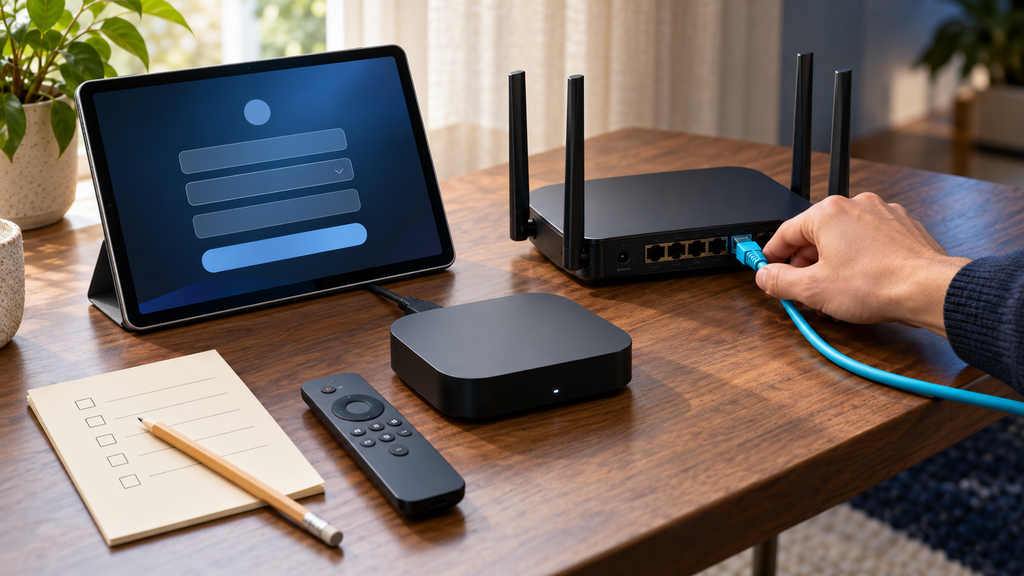
| At the beginning of device preparation | realmiptv-device-player-preparation.webp | Overhead still life with a streaming remote, generic device model label, app-store illustration, router and Ethernet cable. Hide account identifiers and avoid fabricated download pages. | Streaming remote, router and device checklist prepared for IPTV player installation | Prepare the device and player before activating access. |
| After the ordering sequence | realmiptv-order-activation-steps.webp | Four-step editorial illustration: select duration and connections, obtain written confirmation, receive private credentials, configure the player. No fake payment approval, order receipt or live WhatsApp screenshot. | Illustrated RealMIPTV ordering sequence from plan selection to player configuration | Keep the order confirmation and access details private. |
E. JSON-LD and installation
This draft is a transactional blog article, so BlogPosting is appropriate. The public page source inspected on 22 October 2026 exposes the existing publisher identifier https://realmiptvs.us/#person and WebSite identifier https://realmiptvs.us/#website. The publisher node is currently typed as both Person and Organization; this draft reuses its identifier without inventing a second organisation.
The following is a proposed article node for the recommended new permalink. Configure the existing Rank Math Article schema as BlogPosting or merge equivalent properties into its generated node. Do not paste a second BlogPosting alongside an Article node for the same post.
{
  "@context": "https://schema.org",
  "@type": "BlogPosting",
  "@id": "https://realmiptvs.us/best-iptv-canada/#richSnippet",
  "url": "https://realmiptvs.us/best-iptv-canada/",
  "headline": "best iptv: 7 Essential RealMIPTV Buying Checks for Canada",
  "description": "Find the best iptv plan for your Canadian home. Compare RealMIPTV pricing, simultaneous connections, device setup, prepaid terms and how to place your order.",
  "inLanguage": "en-CA",
  "keywords": "best iptv, RealMIPTV plans, RealMIPTV subscription, RealMIPTV pricing",
  "mainEntityOfPage": {
    "@id": "https://realmiptvs.us/best-iptv-canada/#webpage"
  },
  "isPartOf": {
    "@id": "https://realmiptvs.us/#website"
  },
  "publisher": {
    "@id": "https://realmiptvs.us/#person"
  }
}
Use the final saved URL everywhere if it differs. Let WordPress/Rank Math supply real publication dates, the real author and an uploaded representative image when those are configured. No author, publication date, image URL, rating or Offer is invented here. Offer markup is omitted because a functional checkout confirming the displayed package terms was not identified.
Keep the FAQs visible for readers. Google’s documentation update states that FAQ rich results stopped appearing from 7 May 2026; FAQ rich-result eligibility is not a benefit promised by this draft.
GMC note, outside the public article: Google’s current Unsupported Shopping content policy lists streaming content under unsupported services. This subscription should not be disguised as hardware or another product category, and neither Article schema nor a Rank Math score establishes Merchant Center eligibility.
F. Rank Math completion and editorial notes
Completion table
The status column uses only the requested two statuses. “Prepared” describes the delivered text, not a saved WordPress result.
| Check | Status | Detail |
|---|---|---|
| Exact primary phrase selected | prepared in the delivered text | best iptv |
| Focus keyword entered in Rank Math | pending verification inside WordPress | Enter the plain-text phrase as the primary keyword. |
| SEO title and meta description drafted | prepared in the delivered text | 57-character title; 157-character description. |
| Snippet fields saved and previewed | pending verification inside WordPress | Confirm the saved fields and actual pixel-width preview. |
| Proposed slug and canonical | prepared in the delivered text | best-iptv-canada; self-reference if a new post. |
| Final permalink and canonical saved | pending verification inside WordPress | Preserve an established URL if updating a post. |
| Keyword in H1, H2, H3, opening and body | prepared in the delivered text | Numbered promise is delivered by seven distinct factors. |
| Final heading structure | pending verification inside WordPress | If the post title renders the H1, paste the body starting with the introduction; do not duplicate the H1. |
| Linked contents list drafted | prepared in the delivered text | Links correspond to the article’s H2 headings. |
| Table of contents detected | pending verification inside WordPress | Use a detectable TOC block/integration and verify final heading anchors. |
| Short paragraphs and useful tables | prepared in the delivered text | Validate the editor’s detected paragraphs after insertion. |
| Paragraph readability detected | pending verification inside WordPress | Builder markup can change paragraph detection. |
| Contextual internal and external links | prepared in the delivered text | Live destinations inspected; source links support buying or technical statements. |
| Rendered links and order CTA tested | pending verification inside WordPress | Test the actual saved post, including the WhatsApp link. |
| Four briefs and alt descriptions | prepared in the delivered text | One accurate overview alt includes the focus phrase. |
| Actual media uploads and implemented alt text | pending verification inside WordPress | Suggested images and alt text do not satisfy installed-media checks. |
| Keyword reuse on existing posts | pending verification inside WordPress | Public sitemap and post search inspected; private Rank Math focus metadata is not exposed. |
| Single article schema graph | pending verification inside WordPress | Reuse the inspected IDs and avoid duplicate article nodes. |
| Installed version and Elementor detection | pending verification inside WordPress | The public site uses Elementor; verify that Rank Math analyses the inserted content. |
| Saved SEO score and specific failed checks | pending verification inside WordPress | No achieved score has been measured. |
| Content AI target and separate score | pending verification inside WordPress | No keyword-specific recommendations or account-dependent result was supplied. |
Measured text statistics
- Public article: 2,716 words.
- Exact plain-text occurrences of “best iptv”: 10.
- Manual phrase-occurrence ratio: 0.37% (matches divided by words, not Rank Math’s detected density).
- Selected title: 57 characters; meta description: 157 characters.
- Nine contents links resolve to their drafted H2 heading anchors. No images have been inserted.
Counts apply to the public article only, including its title, headings, contents labels, tables and FAQs. SEO fields, this checklist, image briefs, sources and JSON-LD are excluded. Counting removes Markdown formatting and link targets, and treats hyphenated words as one token. Rank Math’s parser can count differently; the manual phrase-to-word percentage is an estimate, not a plugin result.
Editorial verification note
Research date: 22 October 2026. Homepage, pricing, installation, trial, terms and refund content were retrieved, and public HTML links and schema were inspected. The published USD totals are reported as advertised prices; no payment or comparative playback test was performed. Pricing-page Order Now links currently use href="#"; its WhatsApp Support link also points to #, while the generic footer contact returns to the homepage. A public WhatsApp destination, https://wa.me/212622173174, appears on the trial page and is used for order enquiries in the article. Message delivery and payment completion were not tested.
The homepage selector includes one to five connections, while the dedicated pricing page visibly lists one to three. The article therefore uses the dedicated page’s advertised packages and does not promote four- or five-connection prices. Trial access is presented as free, but the trial page publishes no fixed access window. The article does not invent one.
The public post sitemap contains no best-iptv-canada URL. A public post search returned related articles, including /premium-iptv/ and /iptv-subscription-reddit/; their stored Rank Math focus keywords were unavailable. That is insufficient to mark the keyword-reuse check complete.
Rank Math’s standard documentation gives its highest generic content-length band above 2,500 words. Content AI can replace that generic target with a keyword-specific recommendation. The SEO score, Content AI score and Google rankings are different measures; none has been inferred from this draft.
Research references
- RealMIPTV homepage, pricing, installation, trial, terms, and refund policy.
- Google TV: install apps.
- TiviMate’s official Google Play listing.
- Rank Math: content-analysis tests, SEO score versus Content AI score, and fixing tests with Content AI.
- Google: structured-data documentation updates.
- Google Merchant Center: unsupported Shopping content.
Actions to finish implementation
- Insert the article as a post, set the exact focus phrase and snippet fields, and confirm the final permalink.
- Upload the four actual images, add the supplied alt text where accurate, and insert a detectable contents block.
- Repair the pricing page’s placeholder order/support links; use the published WhatsApp enquiry route until the intended ordering flow is confirmed.
- Verify the saved post’s links, mobile layout, article schema and keyword reuse, then inspect Rank Math’s real failed checks. If detection is wrong in Elementor, resolve the integration before rewriting the article. Use the actual failed-check screenshot to fix remaining issues, and assess any Content AI result separately.