If you are searching for mybunny.tv reviews, you probably want to know whether the service works reliably and whether paying for it makes sense. The available public evidence gives a mixed picture, with advertised subscription plans and limited user reports that include both successful playback and unresolved problems.
Our assessment: the public record does not support an unconditional recommendation or a measured performance rating. Before committing, verify the provider’s identity, U.S. distribution rights, billing terms, and performance on your actual devices.
This review examines public pages and discussions, rather than claiming a hands-on subscription test. Prices reflect published listings checked on October 11, 2026; checkout charges, current playback quality, and individual account outcomes remain unverified.
Table of Contents
Table of Contents
mybunny.tv reviews at a Glance
MyBunny TV markets an IPTV subscription with live television, movies, and series. Its website promotes a 24-hour free trial, broad device compatibility, and high availability, but those are provider statements rather than independently measured results. See the official homepage for the current advertising.
A useful review separates what is visible on a sales page from what has been demonstrated. The following table describes the evidence available for this article.
| Area | What is established | What remains uncertain |
|---|---|---|
| Pricing | Public annual plan listings exist | Final charges and renewal conditions |
| Connections | Plans advertise one to four simultaneous devices | Enforcement rules and household restrictions |
| Playback | Public commenters describe different outcomes | Representative reliability or outage rates |
| Support | Some accounts describe assistance; others report silence | Typical response time and resolution quality |
| Content | A public catalog lists channel entries | Working feeds and distribution authorization |
| Consumer policies | Trial advertising is visible | Complete trial, cancellation, and refund conditions |
These distinctions matter because a large catalog, an attractive price, and a functioning website answer different questions. None establishes how the service will perform during your household’s busiest viewing period.

Advertised Plans and Subscription Costs
The official MyBunny TV plans page lists four annual options. The main published difference is simultaneous device capacity.
| Plan | Advertised annual price | Simultaneous devices | Calculated monthly equivalent |
|---|---|---|---|
| Lite | $69 | 1 | $5.75 |
| Family | $119 | 2 | $9.92 |
| Premium | $164 | 3 | $13.67 |
| Titan | $205 | 4 | $17.08 |
The monthly equivalent is a calculation, not confirmation of monthly billing. Dividing the displayed annual total by twelve helps compare costs, but it does not establish an installment option.
The page also presents three-month and six-month duration choices. Verify the selected duration and complete order total before paying, rather than assuming every promotional figure applies to your checkout.
Advertised Price Versus Payment Rules
A connection allowance concerns how many devices the plan says can stream at once. It does not, by itself, explain whether different households, networks, or locations can share an account.
Ask for those restrictions in writing if they affect your purchase. A plan name such as “Family” should not replace an actual explanation of permitted use.
During this research, selecting the Lite order led to an account registration page. Consequently, the final payment screen, accepted payment methods, and merchant details were not inspected.
A Hypothetical Cost Comparison
Imagine a household choosing between Lite and Family because two people sometimes watch different programs. The annual difference is $50, equivalent to approximately $4.17 per month.
That additional capacity has value only if the household needs it and both streams work acceptably. Buying unused capacity because the higher plan looks discounted does not improve the viewing experience.
Consider another hypothetical outcome: a $69 annual subscription delivers only three useful months, with no refund received. Its effective cost becomes $23 per usable month, illustrating why the advertised monthly equivalent cannot capture service continuity.
Neither example predicts MyBunny TV’s performance. Both show how to evaluate a prepaid subscription without inventing failure probabilities.
What Public User Reviews Actually Report
The most useful public comments describe a device, a specific problem, and an outcome. General praise or criticism provides less information when the writer does not explain whether they subscribed.
In a Reddit discussion specifically about mybunny.tv, one poster described confusing setup instructions and a “No Signal Found” error shortly after purchasing. The same poster later reported that support cleared a cache and restarted servers, after which playback worked.
“Got it working.”
— Reddit user Artist-x, reporting a resolved problem
Other commenters described channels loading without playback, while another reported working playback through TiviMate. The discussion also contains complaints about VOD organization; one commenter said using Xtream parameters improved sorting, although episode order remained imperfect.
A Reported Support Case, Not a Laboratory Test
The resolved account provides a small case study: an initial setup or playback failure was followed by support intervention and a reported recovery. It suggests that at least one commenter obtained assistance.
The public thread does not independently establish the cause, the support response time, or how often similar fixes succeed. Treat the account as a reported experience, with the outcome included alongside the original complaint.
A separate discussion covering multiple IPTV services contains comments explicitly alleging MyBunny playback problems and unanswered support requests. Other complaints in that thread concern different providers, so they should not automatically be attributed to MyBunny.
How to Weigh mybunny.tv reviews Fairly
These comments are self-reported and were not authenticated through purchase records. They offer issues to investigate, rather than a statistically representative customer satisfaction score.
When comparing reviews, look for:
- Specificity: the device, player, and affected feature.
- Timing: when the experience occurred and whether it continued.
- Outcome: whether support resolved the issue.
- Independence: whether the post promotes a competing seller.
- Completeness: follow-up comments that change the original account.
A screenshot of a loaded channel list is weaker evidence than a documented viewing session. Likewise, a resolved complaint should not be presented as an ongoing failure.
Channels, Sports, and On-Demand Content
The public MyBunny TV channel catalog contains U.S. sports listings, including ESPN, Fox Sports 1, and NFL Network. It also lists repeated network entries with different quality labels and regional variations.
The catalog displayed more than 45,000 entries when reviewed, while the plans page advertised more than 41,000 channels. These figures describe published inventory claims; they do not verify that every listed stream works.
Channel entries are not necessarily distinct television networks. A repeated network name with HD and FHD versions can increase the feed count without adding a new program choice.

Build a Short Must-Have List
Instead of comparing the largest headline number, list the channels and programs your household actually watches. A compact checklist makes missing content easier to identify.
| Viewing priority | Question to answer |
|---|---|
| Local news | Is the exact station and local edition available? |
| Sports | Is the required game carried, with clear access conditions? |
| Movies | Does the selected title play from beginning to end? |
| Series | Are seasons and episodes correctly labeled? |
| Accessibility | Are the needed captions or audio options available? |
| Family viewing | Can unsuitable categories be restricted? |
For sports, distinguish a network listing from access to a particular event. Do not infer that a catalog label guarantees every game, replay, or premium event.
Similarly, a movie or service name in a catalog does not establish access to that brand’s official application. Ask what the subscription actually delivers before treating it as a replacement for another membership.
Streaming Quality and Device Compatibility
The homepage advertises 4K and high availability, including a 99.99% uptime figure. The plans page lists FHD, HD, and SD, so the public descriptions do not clearly establish the extent of 4K availability.
Request examples of the exact content offered in 4K and the conditions required to play it. A quality label alone does not establish the resolution of the video delivered to your screen.
What “Zero Buffering” Can Establish
The homepage uses “Zero Buffering” in its marketing. That phrase is not an independent performance measurement.
A meaningful assessment would document interruptions across different sessions, channels, and devices. It would also record the test conditions, so readers can understand what the result does and does not demonstrate.
No such hands-on dataset was produced for this article. Assigning a reliability percentage or a five-star streaming score would therefore imply evidence that is unavailable.
Device Compatibility Needs a Specific Setup
MyBunny advertises compatibility with platforms including Fire TV, Android TV, Apple TV, and smart TVs. Its plans mention M3U and Xtream access, but a broad compatibility claim does not confirm every device-and-player combination.
Before purchasing, obtain instructions for your exact model and application version. Confirm whether a separate player purchase is required and who supports that player.
Do not assume that instructions for one app will match another app’s menus. Preserve the original instructions and any corrections from support, so setup problems can be described accurately.
Trust Scores and Legitimacy Questions
Searching for MyBunny reviews also surfaces automated reputation websites. Their scores assess selected website signals, rather than the complete experience of buying and watching television.
| Publisher | Score displayed when reviewed | How to interpret it |
|---|---|---|
| Gridinsoft | 64/100 | Its automated website assessment; not a playback rating |
| Scam Detector | 12.1/100 | Its algorithmic risk assessment; not verified customer satisfaction |
Gridinsoft identifies its method as automated checks. Scam Detector describes a model based on aggregated factors, which means the two numbers come from different assessment systems.
The disagreement is a reason to inspect the evidence behind each score. Averaging them would produce a new number without a valid review method.
Is MyBunny TV a Scam?
The evidence reviewed does not establish a definitive fraud finding. However, incomplete public policy verification, conflicting reputation signals, and reported service problems leave important questions unresolved.
A website delivering some working streams would not establish every promise it makes. Conversely, a low algorithmic score or an isolated complaint does not prove that every transaction is fraudulent.
For a purchase decision, concentrate on identifiable ownership, written terms, documented authorization, and demonstrable service. Those checks are more actionable than treating a search-result headline as a verdict.
U.S. Licensing and the Regulatory Record
A separate issue is whether the provider has authorization to distribute the advertised programming to U.S. customers. This review did not verify such authorization from the public material examined.
The U.S. Copyright Office’s digital-files guidance explains that whether a work is made available with the copyright owner’s authority is a factual question. A catalog entry or subscription payment does not answer that question.
An Official Decision Lists the Domain
A published Lithuanian Radio and Television Commission decision, KS-46, includes mybunny.tv among domains covered by a DNS access restriction order. Its stated basis concerns failure to notify the commission about providing on-demand audiovisual media services under Lithuanian requirements.
That is a material regulatory record, but its scope needs to remain clear. It is not a U.S. judgment establishing the legality of every MyBunny stream, and this article does not verify whether the restriction remains active today.
The document also contains a date inconsistency: its heading says 2025, while its registration metadata and internal proceedings reference 2026. Identifying it by decision number avoids silently choosing one date.
Questions a U.S. Buyer Should Ask
Request a clear answer about the legal entity providing the subscription and its authorization for the content you want. If a reseller is involved, ask which entity handles billing, service delivery, and complaints.
Useful questions include:
- What business operates this service?
- What rights authorize the advertised U.S. programming?
- Which countries and customer locations are permitted?
- Which written terms govern the subscription?
- Who remains responsible if the service stops?
A working trial cannot establish distribution rights. Evaluate authorization separately from picture quality and price.
Trials, Refunds, and Renewal Terms
The advertised 24-hour trial may offer an opportunity to evaluate the service, but its full conditions were not verified during this research. Trial availability should therefore be confirmed directly.
The public pages reviewed did not establish complete refund, cancellation, or automatic renewal terms. This is a verification limit, not proof that no policies exist elsewhere.
Before paying, ask for a written explanation of:
- Trial activation: when access starts and expires.
- Payment requirements: whether card details are needed.
- Renewal: whether further charges occur automatically.
- Cancellation: the exact process and deadline.
- Refund eligibility: qualifying circumstances and exclusions.
- Account limits: device, network, location, and sharing rules.
The Federal Trade Commission’s subscription guidance recommends checking trial conditions and cancellation instructions before signing up. It also advises retaining cancellation records and monitoring statements.
Save the version of the terms shown when ordering, along with the selected plan and receipt. Clear records make a later billing question easier to resolve.
A support message saying “we will help” is less useful than a specific refund or cancellation policy. If essential conditions remain unclear, leave the purchase pending until they are clarified.
A Practical Evaluation Checklist
Only consider a viewing test after the provider satisfactorily addresses identity, authorization, and subscription conditions. The following is a proposed evaluation method, not a claim that MyBunny passed these checks.
Start with the equipment and viewing conditions you normally use. A test on a laptop during lunch may not answer whether your television setup suits evening family viewing.
Record Results Instead of Relying on Impressions
Use a small worksheet to record observable outcomes. Repeat important checks if the trial permits, rather than turning one successful stream into a general reliability conclusion.
| Test | What to record | Why it matters |
|---|---|---|
| Initial setup | Instructions followed and any errors | Reveals onboarding difficulty |
| Must-have channels | Exact feeds that played | Checks practical usefulness |
| Normal viewing | Interruptions during a full session | Captures more than initial startup |
| Two screens, if permitted | Whether both played simultaneously | Checks the advertised allowance |
| Series navigation | Season labels and episode order | Tests usability of the catalog |
| Captions and audio | Options actually available | Checks household requirements |
| Support question | Submission and reply times | Documents one support interaction |
Define acceptable results before starting. For example, your household may require correct local news, usable captions, and two simultaneous streams; failure in a required area outweighs an impressive total channel count.
Record the date, device, player version, and affected content. Avoid publishing account credentials or unredacted billing information in a public review.
Why a Trial Has Limits
A short trial can reveal immediate problems, but it cannot establish a year of dependable service. It also may not include the particular event or busy viewing period you care about.
Treat an unanswered support question as incomplete evidence, rather than guessing the eventual response. If the result is unclear, request clarification instead of assuming a paid upgrade fixes it.
The most useful outcome is a documented match between the service and your requirements. A large collection of screenshots without test conditions is less informative.
Alternatives and Troubleshooting
For U.S. households comparing television subscriptions, use the same must-have list across providers. Include billing clarity, local coverage, supported devices, and cancellation rules in the comparison.
The official YouTube TV and Hulu + Live TV pages provide local lineup checks. Verify availability for your ZIP code and read current plan terms before comparing their offers.
These are comparison options, not a claim that either covers every household’s needs. This article does not present another unverified IPTV seller as a guaranteed solution.
Who Should Delay a Purchase?
Delay subscribing if essential licensing or billing questions remain unanswered. The same applies if your required channel, device setup, or accessibility feature has not been demonstrated.
Households depending on uninterrupted live events should demand stronger evidence than a short promotional demonstration. Buyers uncomfortable with an unresolved annual commitment should resolve that issue before paying.
What If You Already Have Playback Problems?
Document the error before changing several settings at once. A clear description makes a support request more useful and preserves what happened.
Try this sequence:
- Identify whether the problem affects one item or all content.
- Record the error, time, device, and application version.
- Confirm your subscription status and permitted connections.
- Recheck setup against the instructions for that application.
- Ask support for a specific corrective step.
- Record whether the proposed fix actually worked.
Avoid repeatedly buying another plan in response to an unexplained error. First establish whether the problem concerns account status, instructions, or something the provider must address.
For a cancellation or billing dispute, retain correspondence and receipts. Follow the provider’s stated process and, if needed, seek guidance from your payment provider about the particular transaction.
Frequently Asked Questions
Is There a Verified Average Customer Rating?
This research did not establish a representative, purchase-verified customer rating. Public comments and website trust scores should not be converted into a customer star average.
Does an HTTPS Website Confirm the Service Is Legitimate?
No. An encrypted connection does not independently establish ownership, distribution rights, refund practices, or reliable streaming.
Does a Loaded Channel List Mean the Subscription Works?
It confirms that a list was retrieved, rather than that every item plays successfully. Evaluate the specific channels and programs you need.
Can a Review Confirm That Everyone Will Get the Same Experience?
No. A useful review reports its evidence and conditions; a public-source review cannot guarantee an individual account’s future performance.
Final Assessment
The useful conclusion from these mybunny.tv reviews is that published offers and limited user accounts leave several important questions open. Public comments include a reported recovery after support assistance alongside unresolved complaints, without establishing a representative reliability rate.
Do not make an annual purchase decision from the advertised price or channel total alone. First establish the provider’s identity, authorization for U.S. distribution, written billing conditions, and suitability for your household.
This assessment can be updated when stronger evidence becomes available. Documented testing and clearer provider disclosures would make a future review more conclusive.
Editorial Notes — Outside the Publication Article
Internal linking opportunities: Link to existing pages about IPTV legality in the United States, simultaneous connections, streaming troubleshooting, and choosing a live TV service. Use actual published URLs; none were supplied for this review.
Three 16:9 image briefs:
| Image | Brief | Suggested alt text |
|---|---|---|
| Article hero | Original editorial illustration of a U.S. living room with a television and a person comparing subscriptions; no provider logo or simulated real interface | Viewer comparing television subscriptions for a mybunny.tv reviews guide |
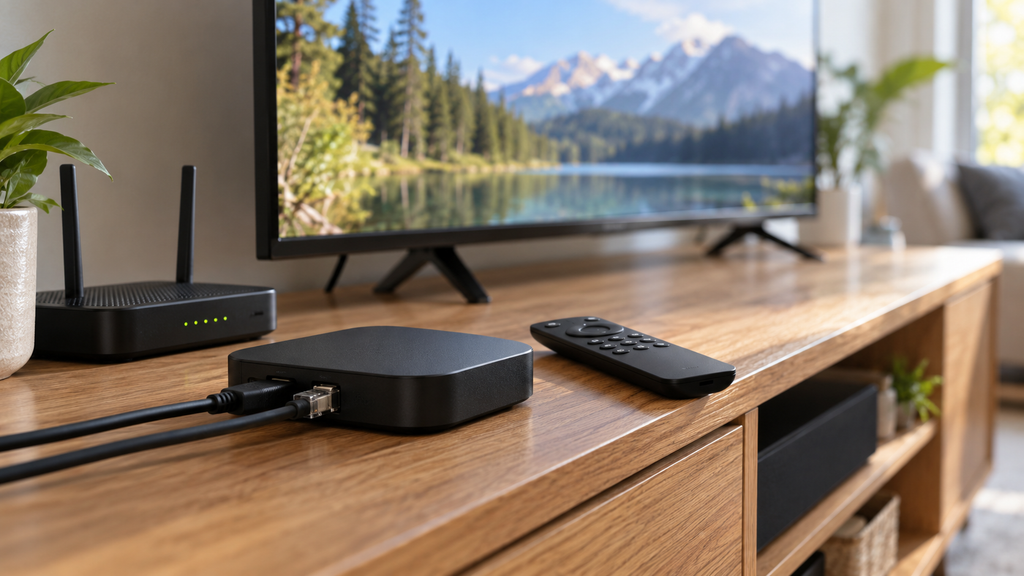
| Device setup | Original photograph-style illustration of a smart TV, streaming device, remote, and laptop; no fabricated testing results | Television and streaming devices used to evaluate an IPTV subscription |
| Decision checklist | Editorial still life of a blank checklist, remote, and calendar; add accurate labels separately in the publishing workflow | Checklist for comparing streaming plans, billing terms, and viewing needs |
Use an actual provider screenshot only if captured from the real page and labeled with its date. Generated illustrations must not be described as proof of testing.
Editorial assessment: The article matches branded review intent and contributes an evidence table, a published-price comparison, carefully attributed user reports, a narrowly described regulatory record, and an original evaluation worksheet. It should be strengthened with documented hands-on testing, verified company and policy disclosures, and the publisher’s author credentials before being presented as an authoritative service recommendation.
Ranking assessment: Google ranking cannot be guaranteed. No authenticated Semrush or Ahrefs volume or difficulty data was available, and this article alone cannot establish search competition, site authority, indexing, or backlink strength.